Chat
Channels, DMs, mentions, files and who's online. Messages queue in an outbox and survive dead phones, roaming and reboots.
Crew comms in one box
Crew comms for temporary events.
Chat, push-to-talk voice, patch sheets and lighting plots, running from one box on your own Wi-Fi with no internet on site. Crew scan a QR code, pick a name and they're in: no accounts, no app store.
Version 1.4.0 · 13 Oct 2026 · Release notes ↗
curl -fsSL https://crewbox.letissier.ie/install.sh | shmacOS and Linux. Downloads the box, clears the macOS quarantine flag, and starts it.
Channels, DMs, mentions, files and who's online. Messages queue in an outbox and survive dead phones, roaming and reboots.
The voice server is inside the box, so there is nothing else to install.
Input patch per artist, sub-boxes, lineup, and CSV in and out.
Fixture patch with DMX clash detection, positions, a plot, and MVR and GDTF import.
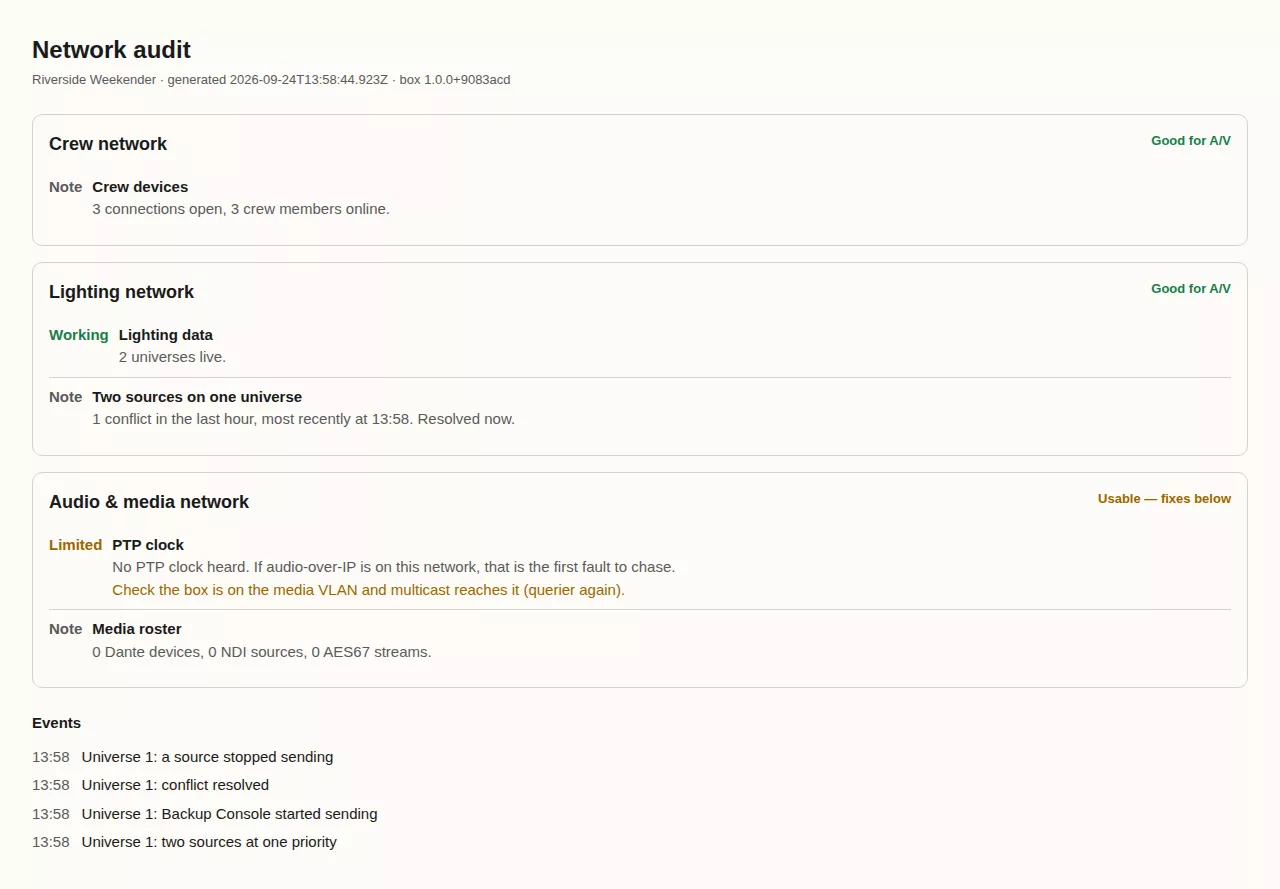
The networks the box can see, graded for A/V use, with a report for venue IT.
The box needs no internet and neither do the crew. When it has a connection it checks for updates daily, and an admin installs one in two presses.
On any machine on the venue network; a laptop is fine. It mints an admin password at setup, so write it down.
The box prints a join URL, a fresh event PIN and a QR code. Crew scan it and pick a name.
Admin → This box shows what is actually working on your machine and what to do about anything that isn't.
Browsers won't grant a microphone over plain http://, and the same rule blocks add to home screen. Voice works today in the Android app, which is exempt, and the iOS app will be too once it is on the App Store; for browsers the box needs HTTPS on a name you control.
Lock-screen alerts on iOS need Apple's push servers, which a site with no internet can't reach. The Android app holds its own connection to the box and buzzes while locked, so give Android phones to the roles that must not miss a call.