Vizz 1.0
Make a cloud from an equation
Turn an attractor, a surface, a knot, a fractal or a simulation into a cloud the particles take the shape of, then tune it and play it.
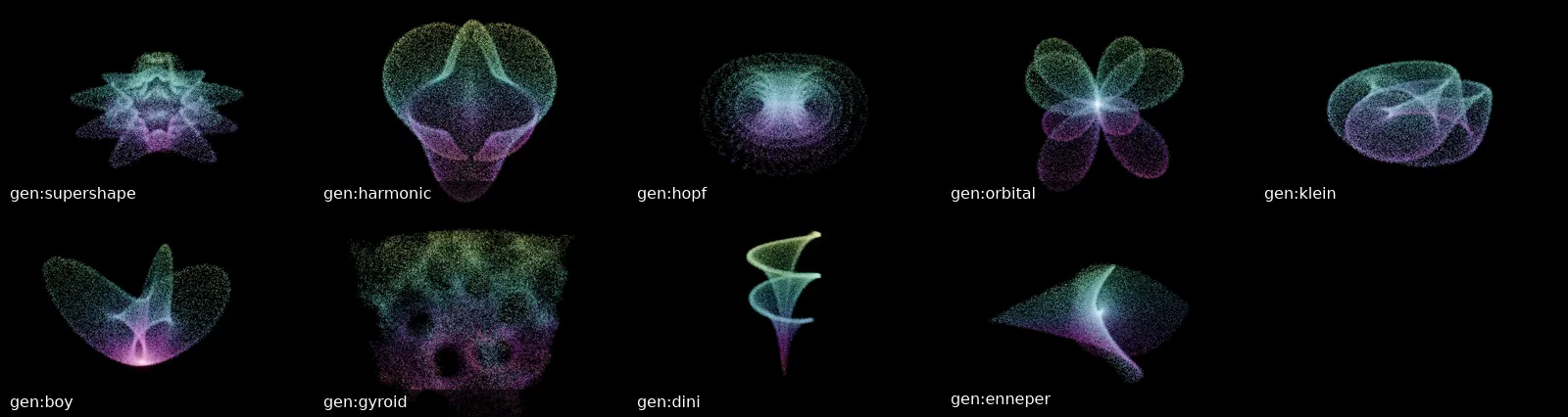
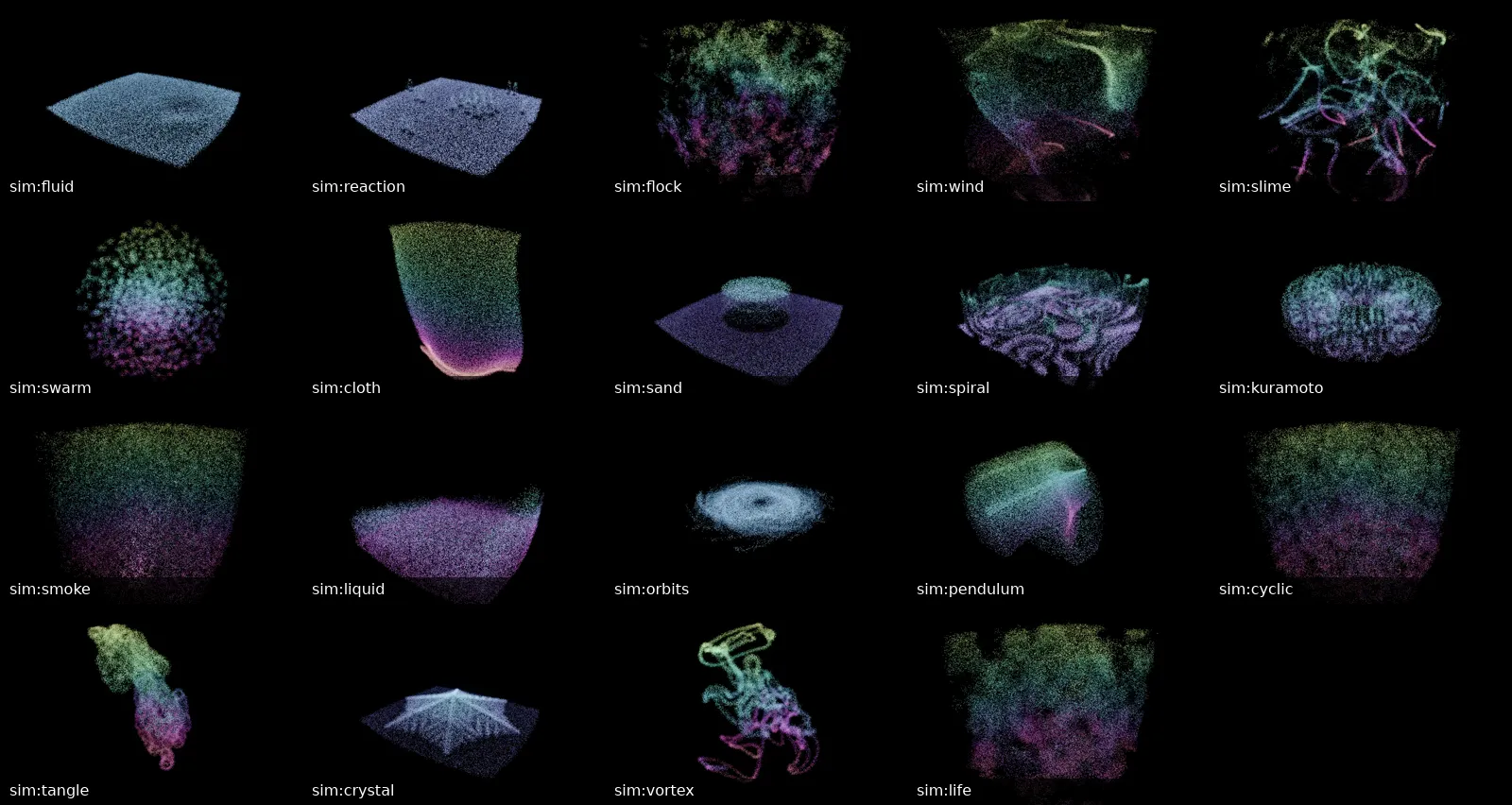
Vizz can build a cloud from any of 66 equations: strange attractors, surfaces, knots, fractals, plants and patterns. It can also run 19 simulations that move by themselves. They're made on your machine in a moment, and the particles fly into the shape.
1. Pick one
In the control panel, open clouds under CONTENT and click generate…. The menu is grouped by kind:
| Group | What's in it |
|---|---|
| flows | Strange attractors traced in time: Lorenz's relatives, Thomas, Halvorsen, Chua. The cloud crawls along itself. |
| maps | Iterated maps lifted into depth: Clifford, de Jong, Hénon, Ikeda. |
| searched | Random equations tried until one turns out chaotic. A new shape every roll. |
| surfaces | Solid shapes: the supershape, a Klein bottle, the gyroid. |
| curves | Knots and lines: torus knots, Lissajous, a Hilbert curve. |
| fractals | The Mandelbulb, the Menger sponge, Julia sets. |
| grown | Plants, corals and trees grown by a rule, and aggregates. |
| patterns | Chladni plates, foam, quasicrystals, sunflower spirals. |
Hover a name for a line about it. Every one is listed, with a picture, in Clouds, generators and simulations.
2. Make it
A generator with no settings is made as soon as you click it. One with settings opens a row under the menu: its name, its settings, make and ×.
Change the settings and press make. The cloud goes into the next free slot and appears on screen. The field glides to cloud mode and gathers onto it.
For example, the torus knot takes p (times round) and q (times through). Try p 2, q 5, then p 3, q 8.
Roll a seed
Generators with a seed, such as quadratic, quadratic flow, foam and aggregate, have a roll button. Each roll picks a new seed, and each seed is a different shape. quadratic in particular finds a new attractor on almost every roll. When you like one, note the seed.
Type a rule
A few settings are text. plant takes an L-system rule, lyapunov a pattern such as AB or AABAB, and gyroid the kind of surface: gyroid, schwarz or diamond.
3. Shape it
The cloud is now a look like any other. From the parameter list:
/particles/count: more particles show more detail. Fine structures such as the Hénon map need plenty./particles/surface: draws each point as a small lit disc, so surfaces and fractals read as solid.- Light and Sun: light the solid surface.
/shape/twist: twists the whole cloud.- Camera: orbit round it.
Save it as a look with save in Presets. The look remembers which cloud slot it shows.
4. Move between clouds
You can hold six clouds you've made at once, plus the built-in Lorenz and Aizawa. Click a name in the cloud list to fly to it.
To cross between clouds in a set, save a look on each and put them on scene pads. Firing the next pad morphs the field from one shape to the other over the blend time.
5. Run a simulation
Simulations are clouds that keep moving: a fluid, a flock, reaction–diffusion, cloth, a double pendulum sheet, smoke rings. Most of them are driven by the music.
Click simulate… in the clouds section and pick one. It runs in the live slot and shows at once. Vizz starts it again at the next launch.
From the command line
Each generator has a spec, which you can pass at launch:
vizz --cloud gen:mandelbulb
vizz --cloud "gen:torus-knot?p=2;q=5" --cloud gen:hopf
vizz --live-cloud sim:fluid
Settings go after a ?, separated by ;. Quote the spec in a shell, because of the ;. The last --cloud is shown. The specs are listed in Clouds.