Yewee 1.0
Prove the chain with the test card
Before doors, put a moving test card on every feed and check each one reaches its receiver, live, the right way up, with working transparency.
The test card replaces the picture on every feed that is on with a pattern that says which machine and feed it is, and moves, so you can check each feed arrives, is live, and keys properly. Use it after setting up the feeds and before doors.
Switch it on
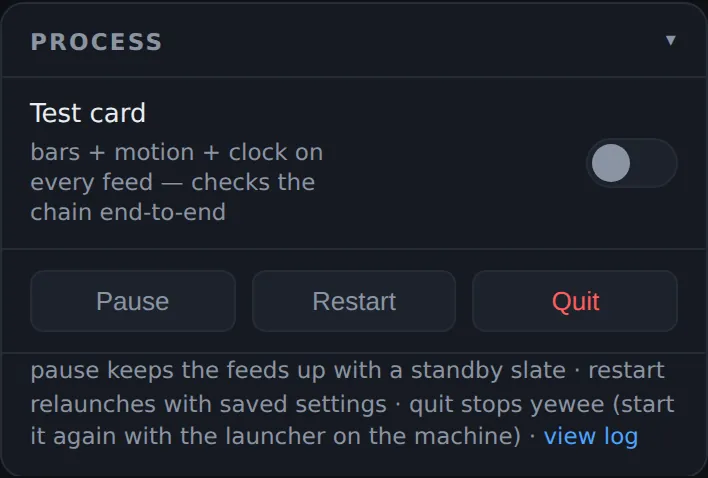
In the Process card, switch on Test card. Every feed switches at once, the status pill says TEST CARD, and the preview shows the card.
What each feed shows
Program feeds carry:
- colour bars and a grey ramp, to check colour and levels on the monitor;
yewee TEST CARD, the machine's name and the feed name (STAGEPC · Yewee), so you know which machine you are looking at;- the size and target frame rate (
1280x720 @ 30 fps target), to check the receiver is getting what you set; - a white block sweeping across and a clock with seconds. If either stops, the link has frozen.
Overlay and Faces cutout feeds carry the alpha test: white corner brackets, a crosshair and yewee ALPHA TEST on transparency, with the same moving block.
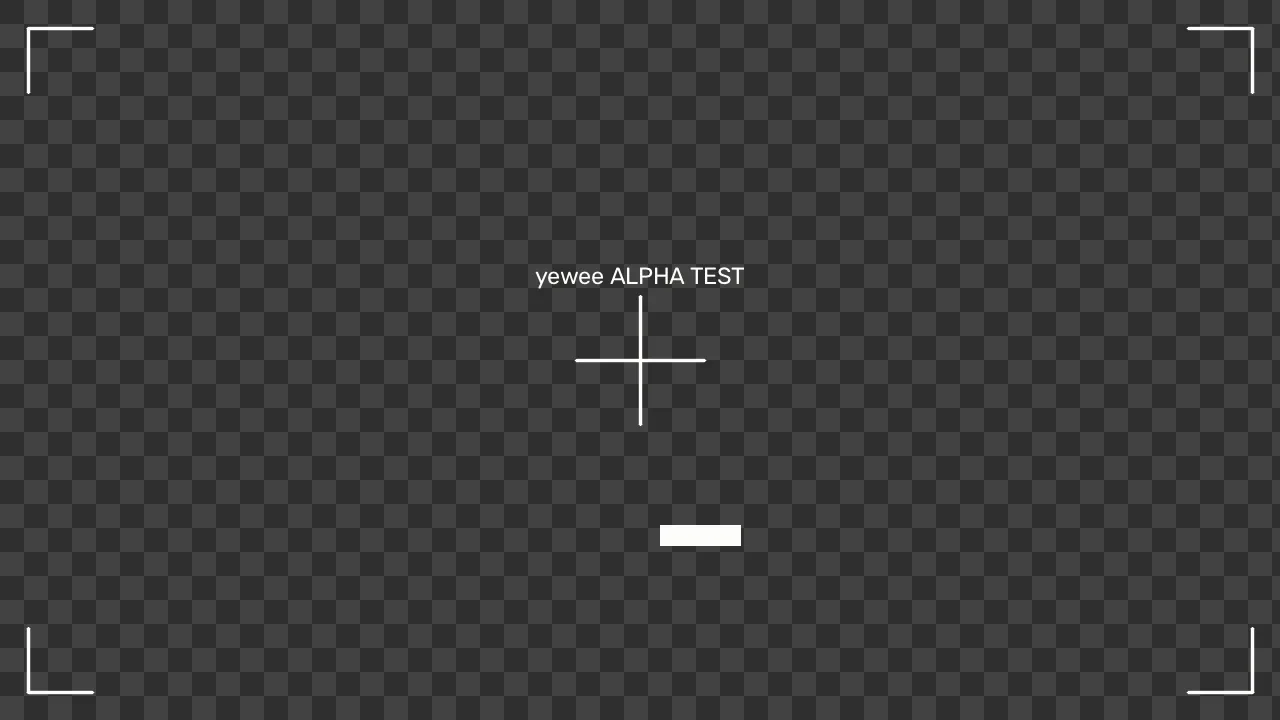
Mask feeds carry the alpha test's matte: the same shapes in white, on black or on transparency according to Mask style.
The check
For each feed, at its receiver:
- It arrives, and it is the feed you meant (the name on the card).
- It moves: the block sweeps and the clock ticks.
- It's the right way up. The text reads normally. If not, switch on Flip upside down for that kind of feed.
- It keys. Over a background, the Overlay and Faces cutout show only the brackets, crosshair and text, with the background visible everywhere else. If you see black around them, the receiver isn't using the transparency; see Keying tips.
- It lines up. Key the Overlay over the Program: the corner brackets should sit exactly in the corners of the picture.
- Its size and rate on the receiver match the line on the card.
Then switch Test card off.
Good to know
- The card runs whatever the camera is doing, and needs no source at all, so you can check the chain before the camera is plugged in.
- Faces aren't tracked while it's on, and the fps and load chips don't count its time.
- When the trial has ended with no licence, the TRIAL ENDED slate takes the card's place.
- Feeds that are off stay off: switch on what you want to test first.