Light 1.0
Run it from a tablet or phone
Pair a tablet or phone with the Mac, use it from the floor, and keep it locked between songs.
The Mac running LIGHT also serves LIGHT to any browser on the same network. A tablet at front of house, or a phone in your pocket, gets the same pads and the same show, live. Nothing is installed on the tablet.
A device has to be paired before it can change anything. Anything else that finds the address can only watch.
Pair a tablet
- Join the tablet to the same network as the Mac: usually the venue Wi-Fi, not the lighting network.
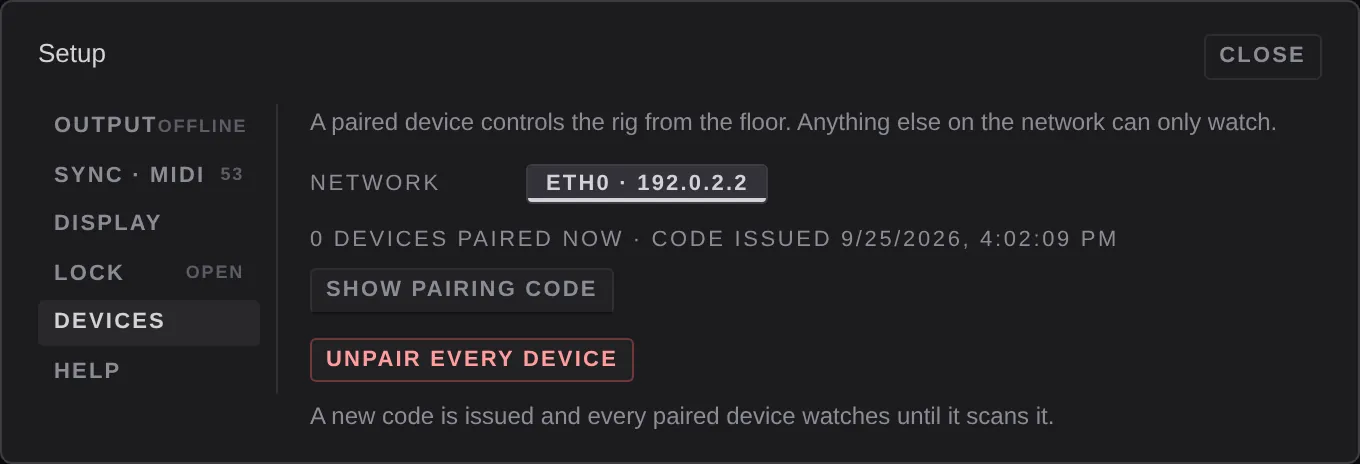
- On the Mac, open Settings ▸ Devices.
- Under network, pick the adapter the tablet is on. The one your rig is on is marked rig wire and isn't chosen unless you pick it.
- Press show pairing code. A QR code and a link appear.
- Point the tablet's camera at the code, or press copy link and get the link to the tablet some other way.
The tablet opens LIGHT in its browser, paired. Keep that link: a bookmark or a home-screen icon stays paired until you unpair.
The tablet starts locked
A tablet (or any screen that isn't the Mac running the show) opens locked. Locked is the pads and nothing else. Pads, columns, songs, dials, groups, the masters, blackout, all stop and freeze all work. The Rig view, the editor and the settings don't open.
To unlock, press and hold locked · hold to unlock at the bottom of the screen. It locks again after a reload, a reconnect, or 30 seconds without a touch. To ask for a passcode after the hold, set one in Settings ▸ Lock on the tablet itself. A passcode is kept in that browser only.
The bottom bar
On a touch screen, a bar along the bottom holds:
- the lock line
- tray, once unlocked: the looks library, the look editor over the whole screen, setup (the settings), and the held chip when anything is held
- edit, the edit latch: taps select pads instead of firing them, and a hold opens a pad's menu
- ?, help mode: tap anything to find out what it does
On a phone
A touch screen narrower than 900 pixels is laid out as a remote. It shows the Pads view with four columns at a time, and page buttons to reach the rest. A tablet shows the ordinary grid, with bigger targets.
Watching
A device that opened the show's address without the pairing code sees everything move and can't change anything. Its bottom bar reads WATCHING — pair from the Mac to control (Settings → Devices). A cog on that bar opens Display and Help, and nothing else.
Use this for a monitor at the stage manager's desk, or a phone for the video operator to see what's coming.
The watching address is shown under Address in Settings ▸ Display on a device already connected over the network, as text and a QR code.
Unpair everything
If a tablet is lost, or was paired by someone who shouldn't have been, press unpair every device in Settings ▸ Devices. LIGHT issues a new code and every paired device drops to watching, reading UNPAIRED — the Mac issued a new code; scan it again. Pair the ones you still want with the new code.
If the tablet can't connect
- Check it is on the network you picked under network. The code carries that adapter's address.
- Venue and hotel Wi-Fi often stop devices seeing each other. A small router of your own for the Mac and the tablet avoids that.
- If the macOS firewall is on (System Settings ▸ Network ▸ Firewall), it has to allow LIGHT to accept incoming connections.
More in Troubleshooting.