Light 1.0
Follow Resolume
Let Resolume Arena or Avenue fire LIGHT's columns and set its tempo over OSC, and check it is working.
LIGHT can follow Resolume. When you launch a column in Resolume, LIGHT fires the same column number, and Resolume's BPM drives every effect. Lay the two grids out in parallel and one button runs video and lights together.
This works over OSC on the same Mac, with nothing but a setting on each side.
1. Switch on OSC output in Resolume
- In Resolume, open Preferences ▸ OSC.
- Turn on OSC Output.
- Set the output address to
127.0.0.1and the port to 7700.
127.0.0.1 means "this Mac". If Resolume runs on a different computer, use
the IP address of the Mac running LIGHT instead, and see
Resolume on another computer.
2. Switch on the Resolume link in LIGHT
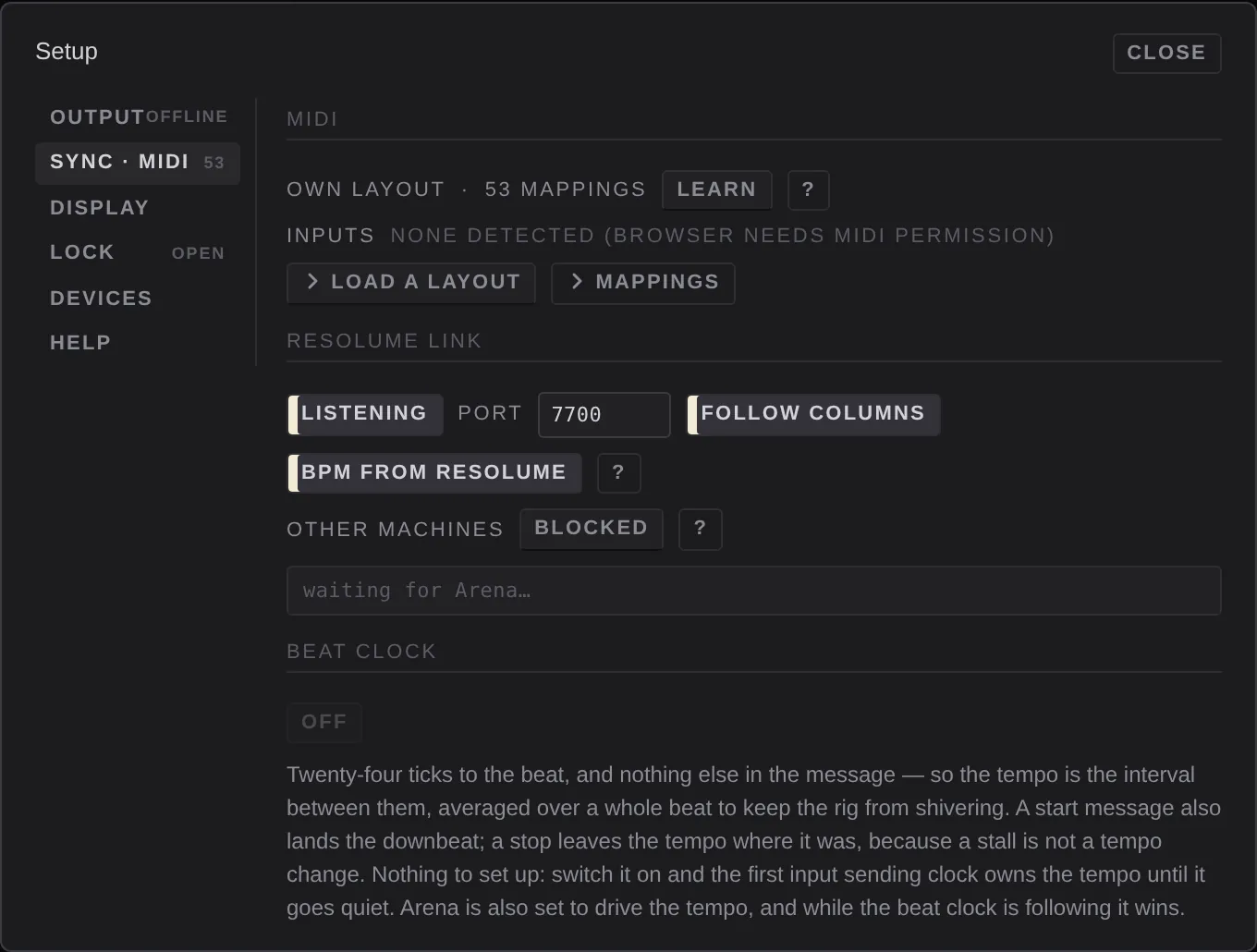
- Open Settings ▸ Sync · MIDI.
- Under Resolume link, set it to listening. The demo show has it on; a new show starts with it off.
- Check the port is 7700, the same as Resolume.
- Leave follow columns and bpm from resolume on, or turn off whichever you don't want.
3. Check it
Launch a column in Resolume. In the box under the Resolume link settings the messages appear as they arrive, and the osc lamp in the status line brightens. The same column fires in LIGHT, and the tempo follows Resolume's.
What LIGHT does with each message
| Resolume sends | LIGHT does |
|---|---|
a column launch (/composition/columns/N/connect) | fires column N, if follow columns is on. Launches from the mouse count too. A column number the show doesn't have is ignored. |
the tempo (/composition/tempocontroller/tempo) | sets the BPM, if bpm from resolume is on. |
resync (/composition/tempocontroller/resync) | restarts the bar and every effect cycle, like sync. |
Remember that a column cue clears layers that are empty in that column. Put an empty "Blackout" column where you want Resolume to take the lights out.
LIGHT follows Resolume's columns, not its individual clips.
Other programs
Anything that speaks OSC can drive LIGHT on the same port, for example TouchOSC, QLab or a script:
| Address | Argument | Does |
|---|---|---|
/light/bpm | a number, 20 to 999 | sets the tempo |
/light/column | a whole number, from 1 | fires that column |
/light/blackout | 1 or 0 | blackout on or off |
Resolume on another computer
LIGHT only listens to programs on its own Mac until you say otherwise. In Settings ▸ Sync · MIDI, set other machines to accepted. This is remembered on this Mac, not in the show. Messages from another machine while it is blocked still show in the message box, marked ignored — other machines are blocked.
Tempo sources
The tempo can come from three places. Only one sets it at a time:
- a MIDI beat clock, when Beat clock is following. It wins over the others.
- Resolume, when bpm from resolume is on.
- tap and the tempo readout in the top bar.
Ableton Link isn't in LIGHT 1.0.
If nothing arrives
- The osc lamp is red: another app is holding port 7700. Quit it (often a second copy of LIGHT, or another lighting app), then switch listening off and on.
- The box stays on waiting for Arena…: check Resolume's OSC Output is on
and pointed at
127.0.0.1port 7700, and that LIGHT is listening. - Messages arrive but columns don't fire: check follow columns is on, and that the column number exists in the playing song.
See Troubleshooting for more.