Light 1.0
Keyboard shortcuts
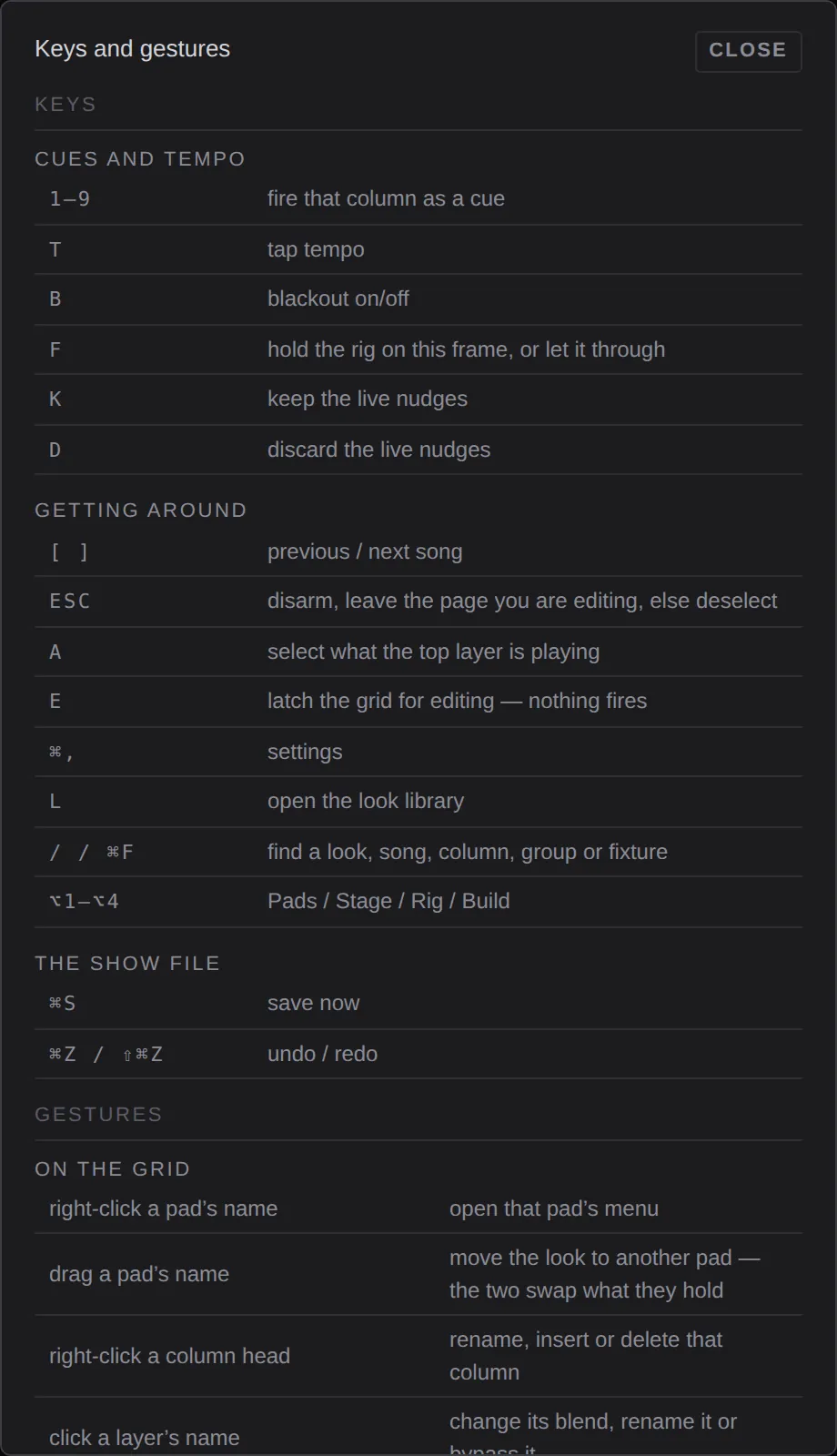
Every key and gesture in LIGHT, as the shortcut sheet lists them.
Press ? at any time for the same list in the app. Keys don't repeat when held, and they are ignored while you are typing in a field.
Cues and tempo
| Key | What it does |
|---|---|
| 1 to 9 | Fire that column as a cue. On a page showing another song, select the column instead. |
| T | Tap tempo. |
| B | Blackout on and off. |
| F | Freeze: hold the rig on this frame, or let it through. |
| K | Keep the live nudges. |
| D | Discard the live nudges. |
Getting around
| Key | What it does |
|---|---|
| [ and ] | Previous and next song. They stop at the ends. |
| ⌥1 to ⌥4 | Pads, Stage, Rig, Build. |
| Esc | Disarm a library look, else leave the song you are editing, else deselect. |
| A | Select what the top playing layer is playing. It never fires. |
| E | Latch the grid for editing: pads select and nothing fires. It turns itself off on ALL STOP, a song change, leaving Pads, or 30 seconds untouched. |
| L | Open the look library. |
| / or ⌘F | Find a look, song, column, group or fixture. |
| ⌘, | Settings. |
| ? | This list. |
The show file
| Key | What it does |
|---|---|
| ⌘S | Save now. Shows also save themselves a moment after every change. |
| ⌘Z and ⇧⌘Z | Undo and redo, up to 100 steps. |
Faders
With a fader focused (click it once):
| Key | What it does |
|---|---|
| ← → or ↓ ↑ | Step it down or up. |
| ⇧ with an arrow | Steps ten times bigger. |
| Home and End | Bottom and top. |
| Enter, or a digit | Type a value. |
Double-click or right-click a fader to reset it.
Gestures
On a touch screen, "right-click" is press and hold.
| Gesture | What it does |
|---|---|
| Right-click a pad's name | The pad menu. |
| Drag a pad's name onto another pad | Swap them. |
| Right-click a column head | Rename, insert or delete that column. |
| Click a layer's name | Change its blend, rename it or bypass it. |
| Click a layer's ✕ (hold until the ring fills on touch) | Stop that layer. |
| Click a library tile, then a pad's name | Put that look on the pad. The tile stays armed until Esc. |
| Type a name with the pointer on the plan | Select the lights whose names start with it. ⌃Tab steps through them. |
| Hold the lock | Unlock this screen. It asks for the passcode if one is set. |
| Hold a fixture's find button | Drive it to full white to spot it on the truss. |
Stage window
In the native stage window opened by stage window:
| Key or mouse | What it does |
|---|---|
| Drag | Orbit. |
| Right-drag | Pan. |
| Scroll | Zoom. |
| 1, 2, 3 | Front of house, side, top. |
| M | Show or hide the band figures. |