Crewbox 1.0
Drive the box from a desk
The keyed control API for Stream Deck, Bitfocus Companion or any HTTP client - raise the on-air tally, read the running order, post to a channel.
A production desk already has a Stream Deck where vision, lighting and playback are one button away. The box answers a small HTTP interface built for that: raise an on-air tally, read who's on which stage, post a message to a channel. It works from Bitfocus Companion's Generic: HTTP requests module, a cue stack, Node-RED or a shell script.
The key
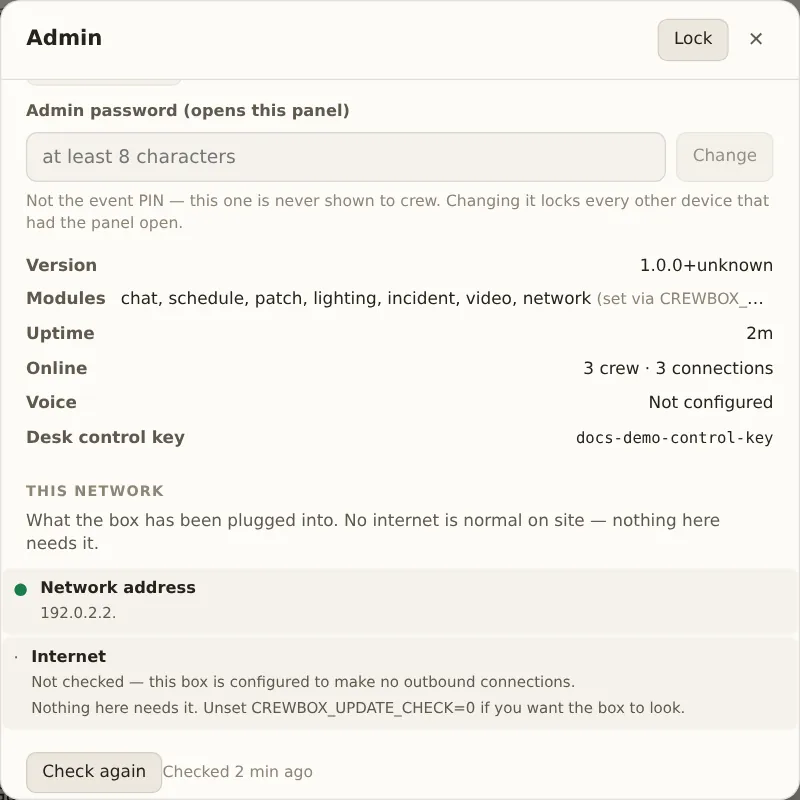
Every call carries the desk control key. It's shown at the bottom of Admin → This box, as Desk control key.
Send it either way:
curl -H "x-api-key: YOUR-KEY" http://BOX:8787/api/control/state
curl -H "Authorization: Bearer YOUR-KEY" http://BOX:8787/api/control/state
It isn't the admin password, and it can do far less: nothing here can change
the event, delete anything, or read what anyone wrote. To fix the key (so a
spare box answers the buttons you've already built, or to replace a leaked one),
start the box with CREWBOX_CONTROL_KEY set. The environment wins over the
stored key and isn't written to disk.
Tally: who's on camera
POST /api/control/tally   {"user": "Dev Okafor (Mons)"}   raise
POST /api/control/tally   {"user": null}                  clear
GET  /api/control/tally                                   read it back
Name the crew member as they appear in the app (case doesn't matter), or by id.
A name that matches nobody answers 404. An empty body is a 400, never a
silent all-clear.
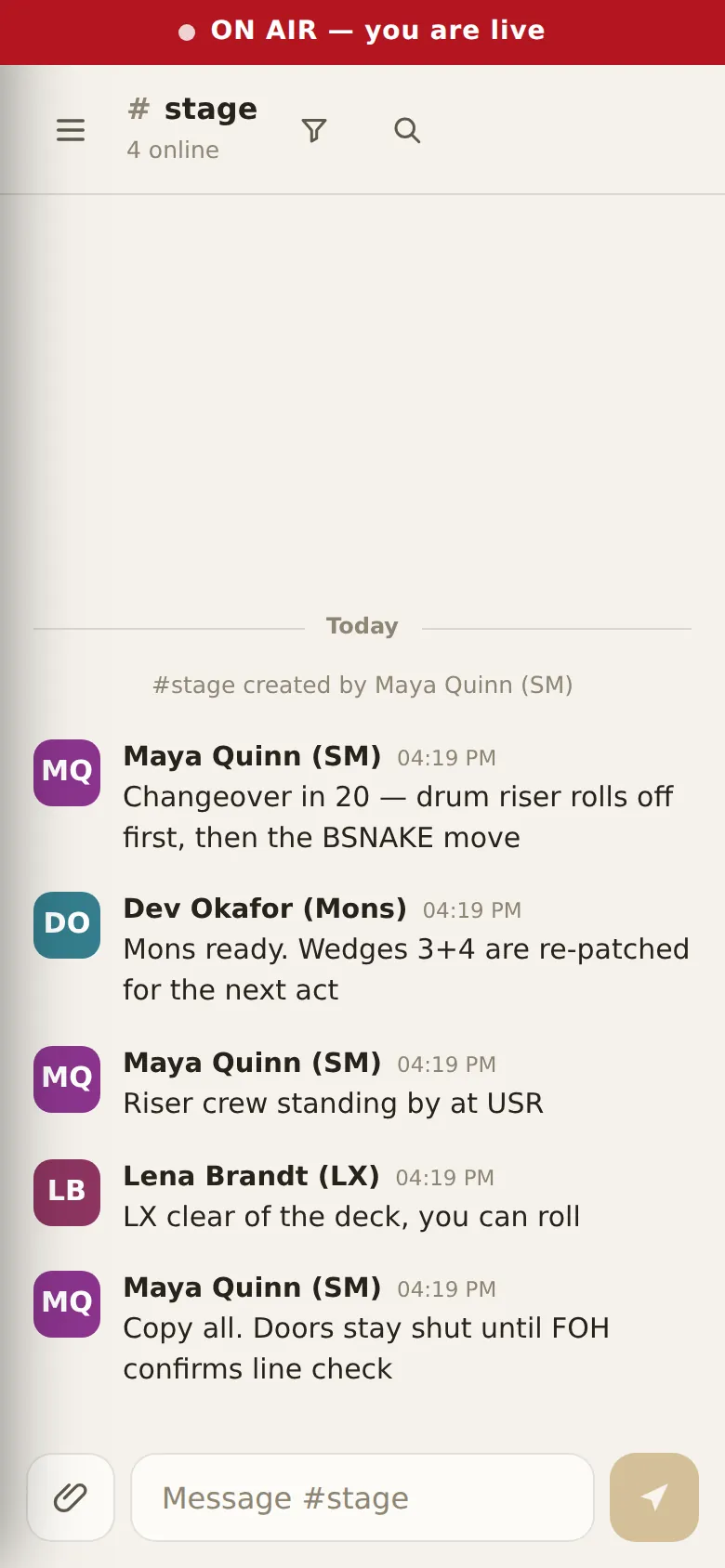
Everyone's app shows a bar at the top the moment it changes: On air: name for the crew, and ON AIR — you are live on the named person's own screen. It can only be raised from a desk, because the person on camera is the last person who should be tapping a phone.
Bind two buttons, one naming the camera's crew member and one sending null,
and the tally follows your cuts.
State: everything a button can show
GET /api/control/state
GET /api/control/state?stage=Main%20Stage
One request, because a desk polls it every second all night. It returns the
event name, who's on air (id and name), how many crew are online, whether voice
is on, the channels a message could go to, and the running order per stage:
what's on now and what's next, each with the minutes as a number and the same
thing in words ("ends": "in 1h"), so a button can print it without doing any
sums.
known: falsemeans the box isn't holding a copy of the running order right now (it syncs through crew devices, and nobody has the app open). A button should show a dash, not an empty stage.- The clock is the show's. A set at 00:30 belongs to the night that started at 19:00, exactly as the app shows it.
Messages from the desk
POST /api/control/message {"channel": "general", "body": "Changeover started"}
The channel can be written general, #general, or by id. The message lands
as a system message, not under anyone's name. Public channels only: a key in a
desk config can never write into a direct message.
Companion, step by step
- Tally button: a POST action to
http://BOX:8787/api/control/tally, body{"user": "Dev Okafor (Mons)"}, headerx-api-key: YOUR-KEY. A second button with{"user": null}clears it. - Changeover call: a POST to
/api/control/messagewith{"channel": "general", "body": "Changeover started"}. - Button feedback: a polled GET of
/api/control/state, pulling the fields you want into Companion variables.
Test the address and key once with curl first. A wrong key answers 401; a
wrong address answers nothing.
Limits
- A correct key is never throttled. Poll as often as you like.
- A wrong key is limited to 120 tries a minute from one address; after that the
answer is
429, so a throttled desk and a mistyped key never look the same.