Crewbox 1.0
Patch sheets
Every control in the patch module - the sheet list, the grid, the toolbar, sub-boxes, the stage patch, the lineup, versions, sharing and export.
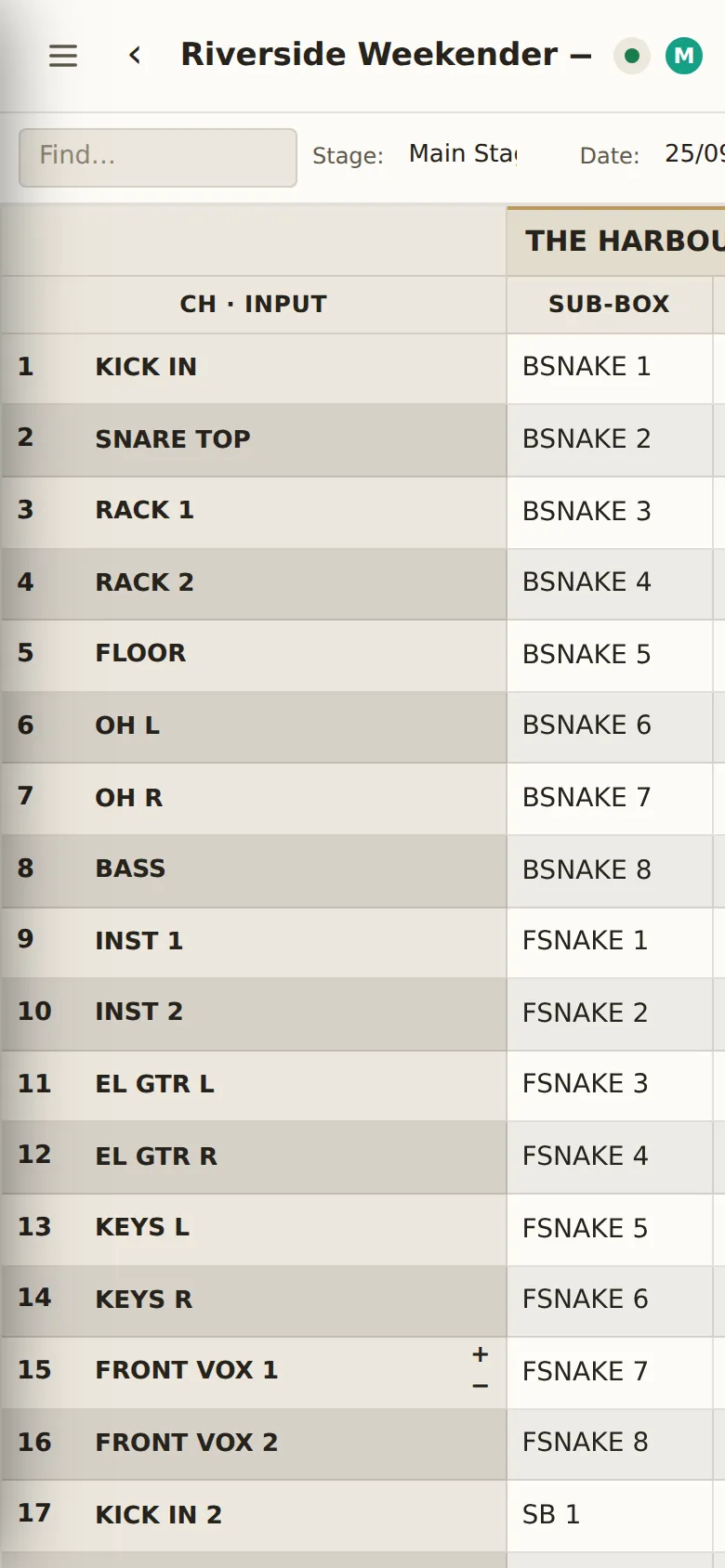
A patch sheet is one stage's input patch: channels down the side, and for each act a column group of Sub-box, Input, Description, Mic/DI and Stand. Everyone with the sheet open edits the same document at once, even offline; changes merge when devices meet the box again.
In the sidebar
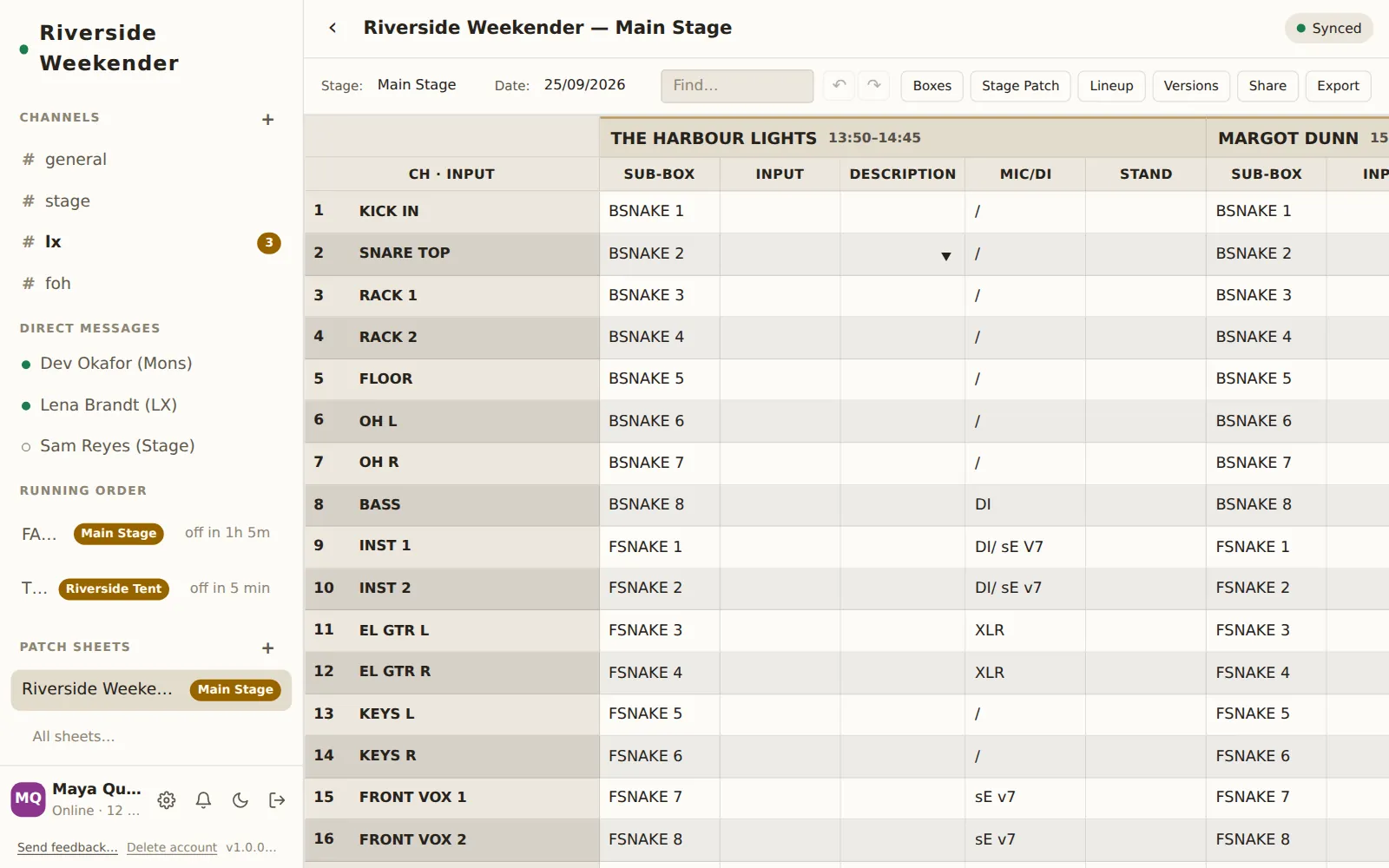
Patch Sheets
Up to eight recently edited sheets, each with its stage as a badge and a dot when someone else has changed it since you last looked. Tap one to open it.
New patch sheet
+ beside Patch Sheets starts a new sheet.
All sheets…
Opens the sheet list.
The sheet list
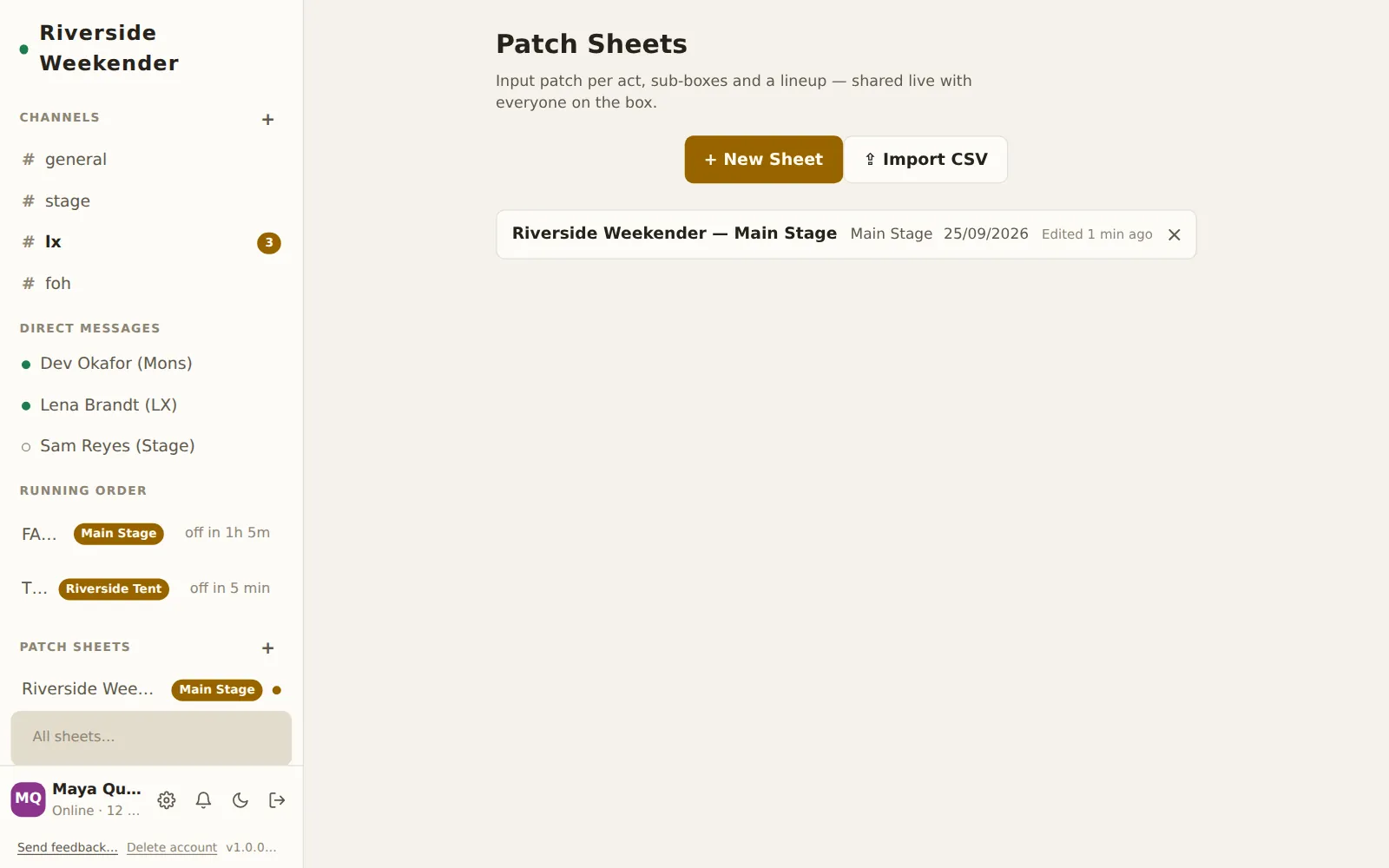
+ New Sheet
Asks for a Sheet name ("Summer Fest — Main Stage") and makes an empty sheet with Create. Cancel backs out.
⇪ Import CSV
Builds a new sheet from a CSV file, festival master patches included. You can also drop a CSV anywhere on the page (Drop a CSV to import it as a new sheet). A notice reports N channels, N act(s) and anything it skipped. Import a patch sheet covers what it reads.
Sheet cards
Each card shows the title, stage, date and Edited … ago. Tap to open.
Delete a sheet
× on a card deletes the sheet after Delete "…" from this device and the shared index?. It goes from everyone's list.
The sheet header
All sheets
‹ goes back to the list.
Title
Click to rename the sheet (Untitled Sheet until you do).
Sync status
- Local only: this device has the sheet but hasn't reached the box. Your edits are safe on the device and will sync.
- Connecting…
- Synced, or Synced · N devices when others have it open.
Who's here
Initials of the other people with the sheet open.
The toolbar

Stage
Which stage this sheet is for. Suggests stages already in use. The sheet's acts are the running order's acts on this stage, so changing the stage changes which acts appear, and moves imported acts with it.
Date
The sheet's date, typed DD/MM/YYYY. Anything else is rejected with Invalid
date.
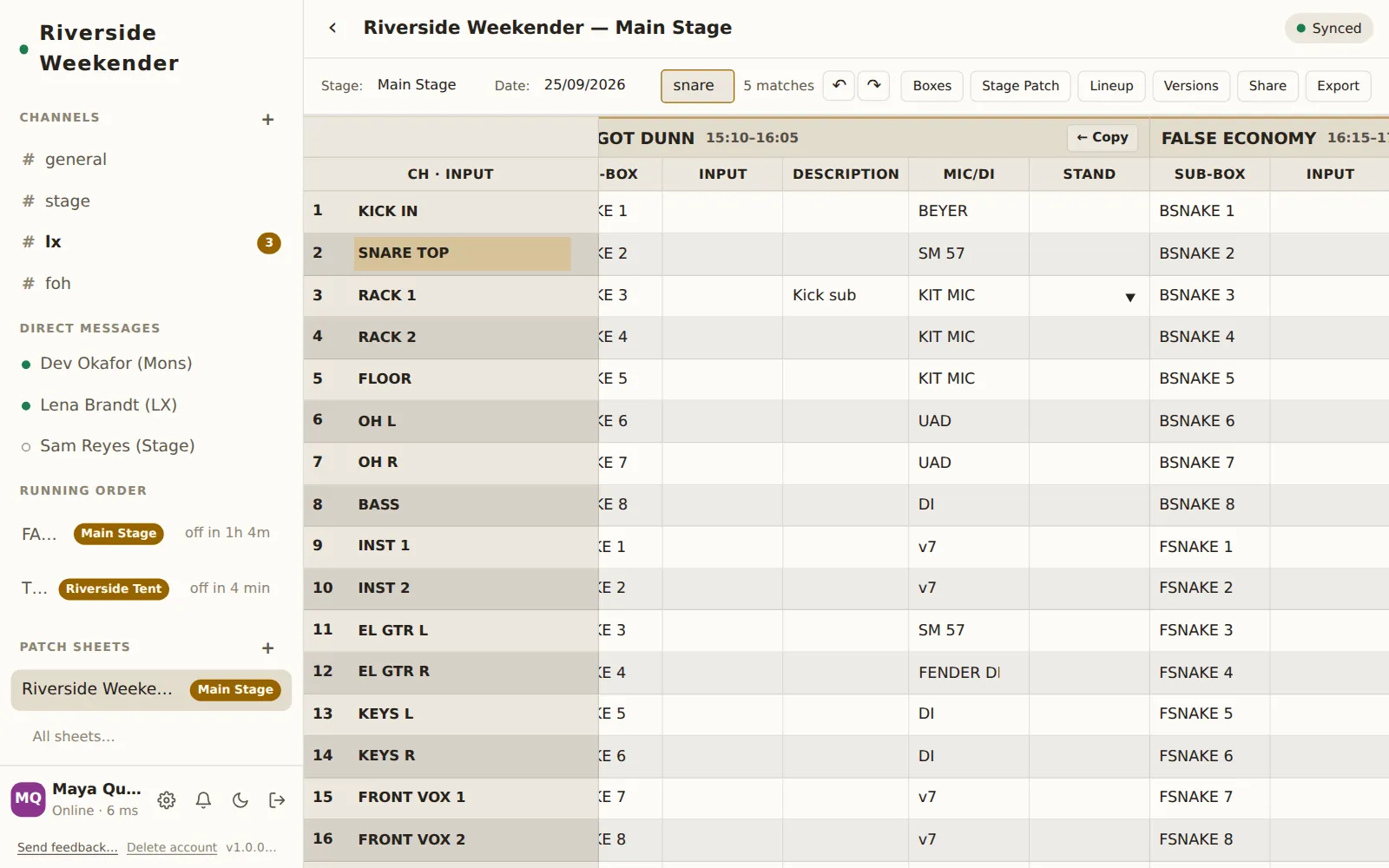
Find
Finds text anywhere in the grid (Find…), with the number of matches beside it. Enter goes to the next match and scrolls it into view; Esc clears. ⌘F (Ctrl+F) jumps here.
Undo and Redo
↶ undoes and ↷ redoes, for this sheet (⌘Z, ⌘⇧Z or ⌘Y). Undo is per device: it only takes back your own changes, never a colleague's.
Boxes
Opens the sub-box manager.
Stage Patch
Opens the stage patch.
Lineup
Opens the lineup.
Versions
Opens versions.
Share
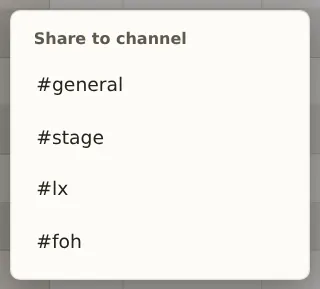
Picks a channel to post a link to this sheet in (Share to channel). The link shows as an Open ↗ chip in chat. A notice confirms Sheet link posted in #….
Export
Downloads the sheet as a CSV: two header rows (acts, then fields), then one row per channel, with each act's spec kept beside its name. It opens in any spreadsheet and imports back into Crewbox as it was.
The grid
Act headers
Each act's name and set time. ← Copy copies the whole patch from the act before into this one. It replaces this act's patch, clearing channels the other act leaves empty, rather than merging.
Ch · Input
The channel number and the house input ("KICK IN"), shared by every act. Click the input to rename it.
Sub-box
Which sub-box and tail, like PINK 3. Pick from the list or type. This is what
the stage patch is built from.
Input, Description, Mic/DI, Stand
The act's own input name, a description, the microphone or DI, and the stand. Free text.
Insert and remove channels
Each channel row has + (insert a channel below) and − (remove this channel), beside the house input. Removing asks Remove channel "…"? Its patch data will be deleted. A sheet always has at least one channel.
+ Add Channel
Adds a channel at the bottom.
Keys in the grid
| Keys | Does |
|---|---|
| Arrow keys | Move between cells |
| Enter / Shift+Enter | Commit and move down / up |
| ⌘D / Ctrl+D | Fill this cell from the one above |
| Esc | Throw away your edit to this cell |
Paste a block
Copy cells in Google Sheets or Excel, click the cell where the top-left corner should go, and paste. The block fills right and down. Channels are added if it runs past the bottom, and a notice says what happened: Pasted 24 cells · added 3 channel(s) · 2 column(s) didn't fit. The whole paste is one undo.
Empty sheets
A new sheet with no acts says so and offers to add one in the lineup. A new sheet also points at Import CSV.
Sub-boxes
Boxes opens the sub-box manager: the stage boxes and snakes the patch plugs into.
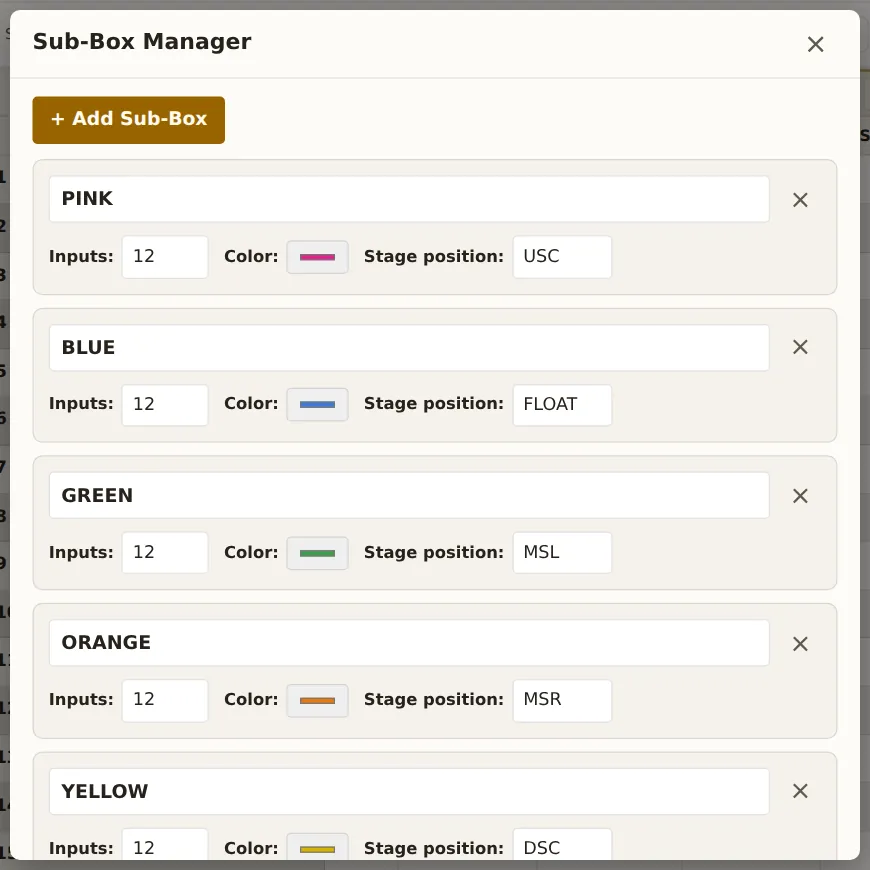
+ Add Sub-Box
Adds a box.
Name
What the box is called in the grid (PINK, BSNAKE).
Inputs
How many tails it has.
Color
Its colour, used on the sheet and in the stage patch.
Stage position
Where it lives on stage: USC USL USR MSC MSL MSR DSC DSL DSR, or anything you type.
Remove
× removes the box. Cells that used it keep their text.
Stage patch
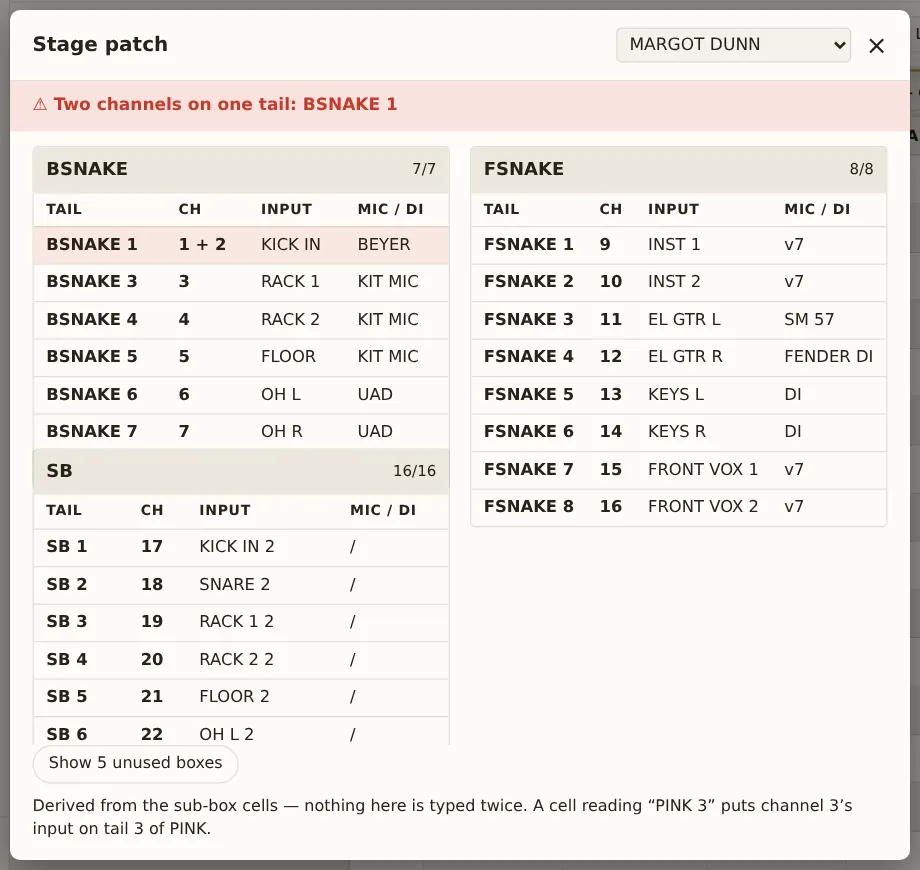
Stage Patch shows, for one act, what goes into each tail of each sub-box:
the view for the stage tech plugging in. It's worked out from the grid's
Sub-box cells, so nothing is typed twice. A cell reading PINK 3 puts that
channel on tail 3 of PINK.
Act
The selector at the top picks the act.
Clash warning
⚠ Two channels on one tail: BOX N when two channels point at the same tail. The clashing row is highlighted.
Tail, Ch, Input, Mic / DI
One row per tail in use.
Show unused boxes
Show N unused boxes lists the boxes this act doesn't use; Hide unused boxes hides them again.
Lineup
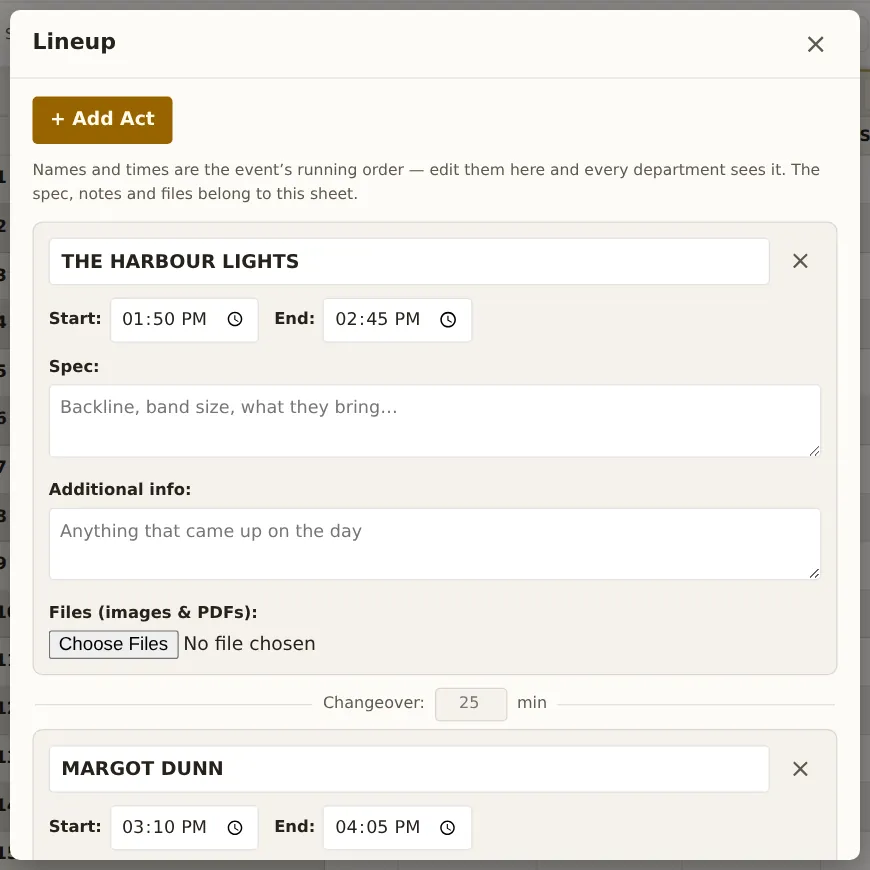
Lineup lists the acts on this sheet's stage, in running order. Names and times are the event's running order, shared with every department; spec, notes and files belong to this sheet.
+ Add Act
Adds an act to this stage.
Act name, Start, End
The act and its set times. The same fields as the running order.
Spec
What the act brings and needs: backline, band size.
Additional info
Anything that came up on the day.
Files (images & PDFs)
Stage plots, riders and photos for this act, up to 25 MB each. Adding files needs a connection to the box.
Remove act
× asks Remove "…" from the event? It comes off the running order and every module, with its patch data and files on this sheet.
Changeover
Between two acts, the changeover in minutes. With nothing typed, the gap the set times imply shows as a grey hint. Type a number of minutes (it steps in 5s). When the typed changeover and the set times disagree, ⚠ the set times leave … says by how much. Crewbox doesn't guess which is right.
Versions
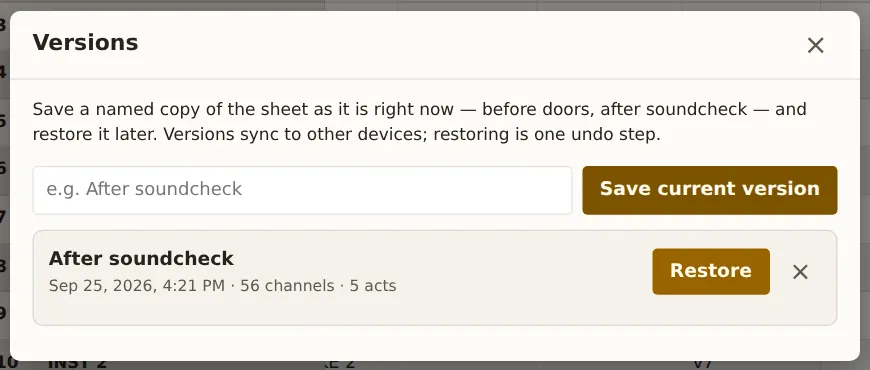
Versions saves named copies of the sheet as it stands, to go back to.
Save current version
Type a name (e.g. After soundcheck) and press Save current version. Versions sync to every device.
Saved versions
Each shows its name, when it was saved, and how many channels and acts it holds.
Restore
Asks first, then replaces the sheet's content with that version. A bar then offers Undo, so a restore is one step to take back.
Delete
× deletes the saved version after a confirmation. This can't be undone.
On a phone
The toolbar and the grid scroll sideways; the channel and house-input column stays where it is, so you can always see which row you're on. Everything above works by touch.