Crewbox 1.0
Show log
The event's record of what happened and when - logging an entry, corrections, filters, and the show report.
The show log records show stops, holds, near misses and anything that ran late: what happened, when, and who wrote it down. Entries can't be edited or deleted. If one is wrong you add a correction underneath it, and both stay. On the Monday the log becomes the show report. Six months later it may be the only account anyone has.
In the sidebar
Show log
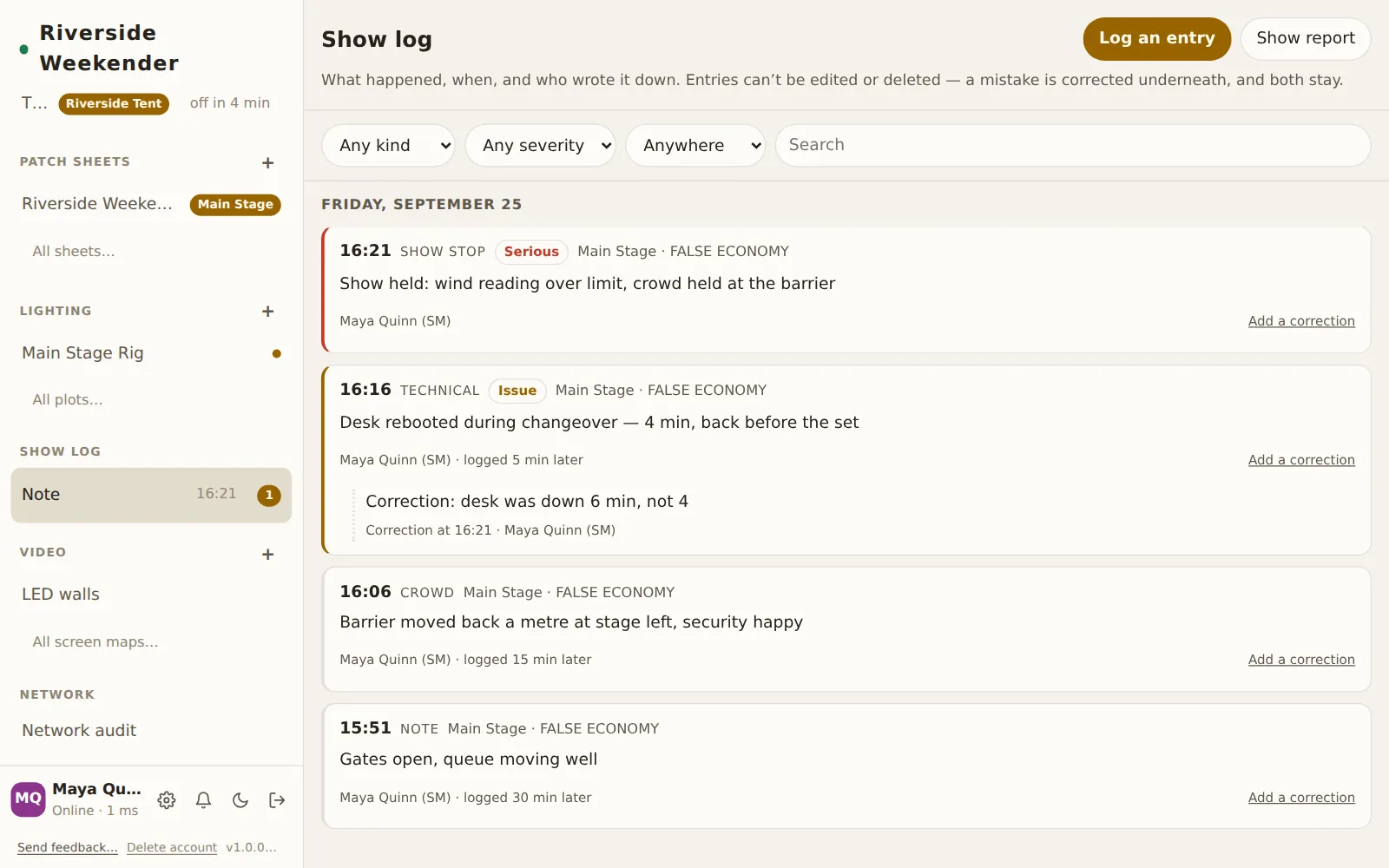
Shows the kind and time of the newest entry. A correction counts as an entry, so after one it reads Note. A number badge counts Serious entries. With nothing logged it reads Nothing logged yet. Tap it to open the log.
The header
Log an entry
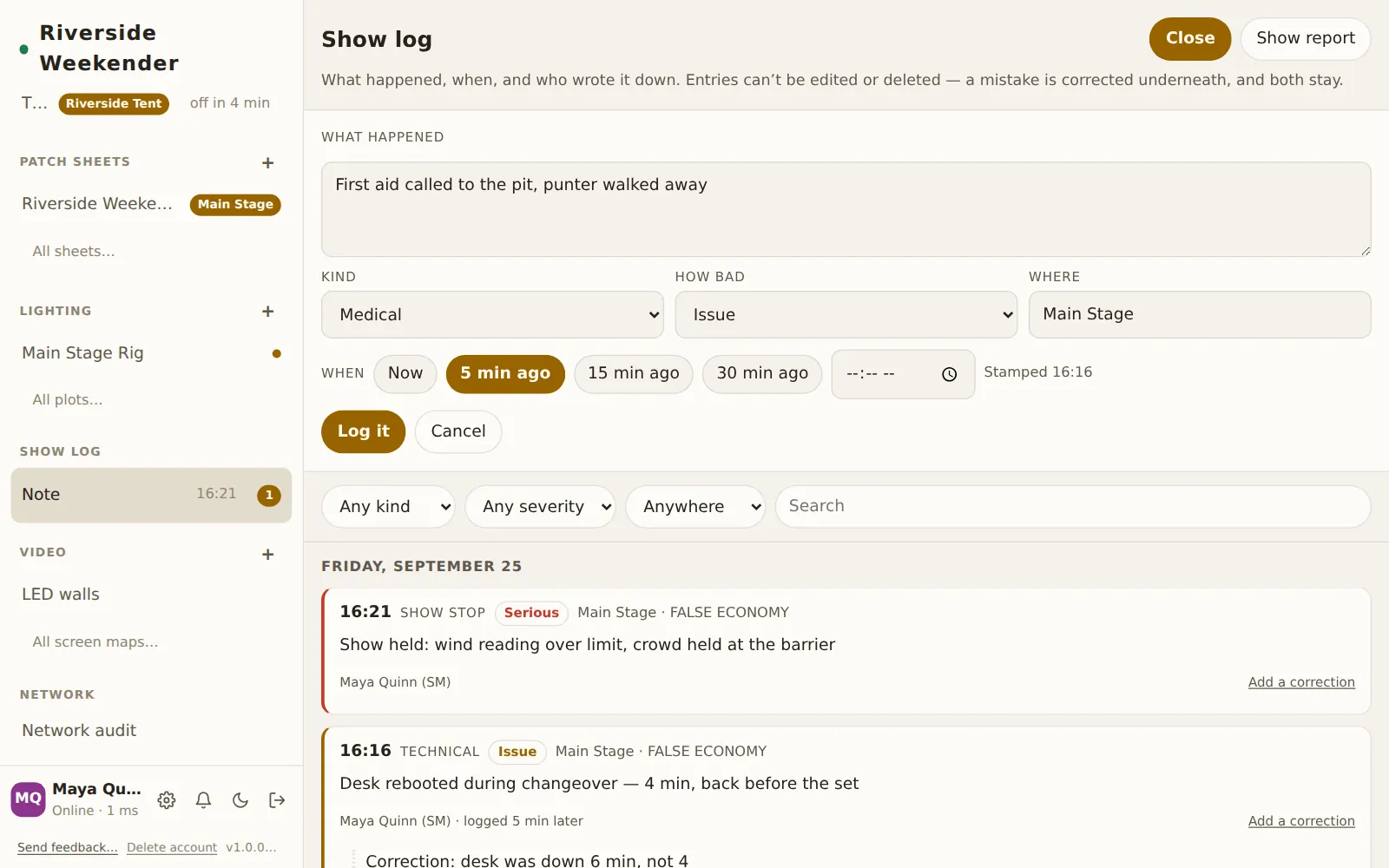
Opens the entry form. While the form is open, the button reads Close.
Show report
Downloads the whole log as one HTML file, oldest entry first, named like
riverside-weekender-show-report-2026-09-25.html. Before building the report it
fetches every earlier entry from the box, so the report covers the whole event
and not only what this device has loaded. The file has no scripts and no links
to anything outside it, and it prints straight from a browser. The button reads
Building… while it works.
Waiting for the box
If you log entries while your device is offline, a line says N entries are waiting for the box. They're held on this phone and go out as soon as it's back. Logging never waits for the network.
Logging an entry
The form is built so that an entry can be logged in a few seconds. A quick entry at the time is worth more than a perfect one written later.
What happened
The entry itself, up to 2000 characters.
Kind
Note, Show stop, Hold, Delay, Technical, Medical, Crowd, Security or Weather.
How bad
Note, Issue or Serious. Issue and Serious entries are marked with a coloured edge and a label. Serious entries are also counted on the sidebar.
Where
The stage, suggested from the running order. The form starts on the stage you last logged against from this device.
When
Now, 5 min ago, 15 min ago or 30 min ago. You can also type the exact time into the time field. Stamped HH:MM shows the time the entry will carry. A typed time later than now is treated as before midnight, so 23:50 typed at 00:10 means twenty minutes ago.
Log it
Files the entry. When you're correcting an entry, this button reads File the correction. Cancel closes the form without filing.
Entries
Each entry shows the following:
- its time, kind and severity
- the stage and the act that was on, for example Main Stage · FALSE ECONOMY. The act comes from the running order when the entry is filed. It stays in the entry, so it doesn't change if the running order is corrected later.
- what happened
- who logged it. If the entry was filed two minutes or more after the time it carries, logged N min later is added, because a note written at the time and one written later are different kinds of evidence.
Newest entries are at the top. Entries are grouped under show days, and each show day runs from 06:00 to 06:00, like the running order.
Add a correction
Opens the form headed Correcting: "…", quoting the original. The correction appears underneath the original, headed Correction at HH:MM · name. Neither entry can be changed after that.
Filters
Filters narrow the list. They don't change the report.
Any kind
Shows only one kind of entry.
Any severity
Shows only Note, Issue or Serious entries.
Anywhere
Shows only one stage.
Search
Matches the words of an entry and the act's name.
Load earlier entries
The log opens with the most recent entries. On the third night of a festival, Load earlier entries fetches the entries before them.