Crewbox 1.0
Lighting
Every control in the lighting module - plots, the fixture list, addressing checks, positions, the plan, front and 3D views, and live DMX from the desk.
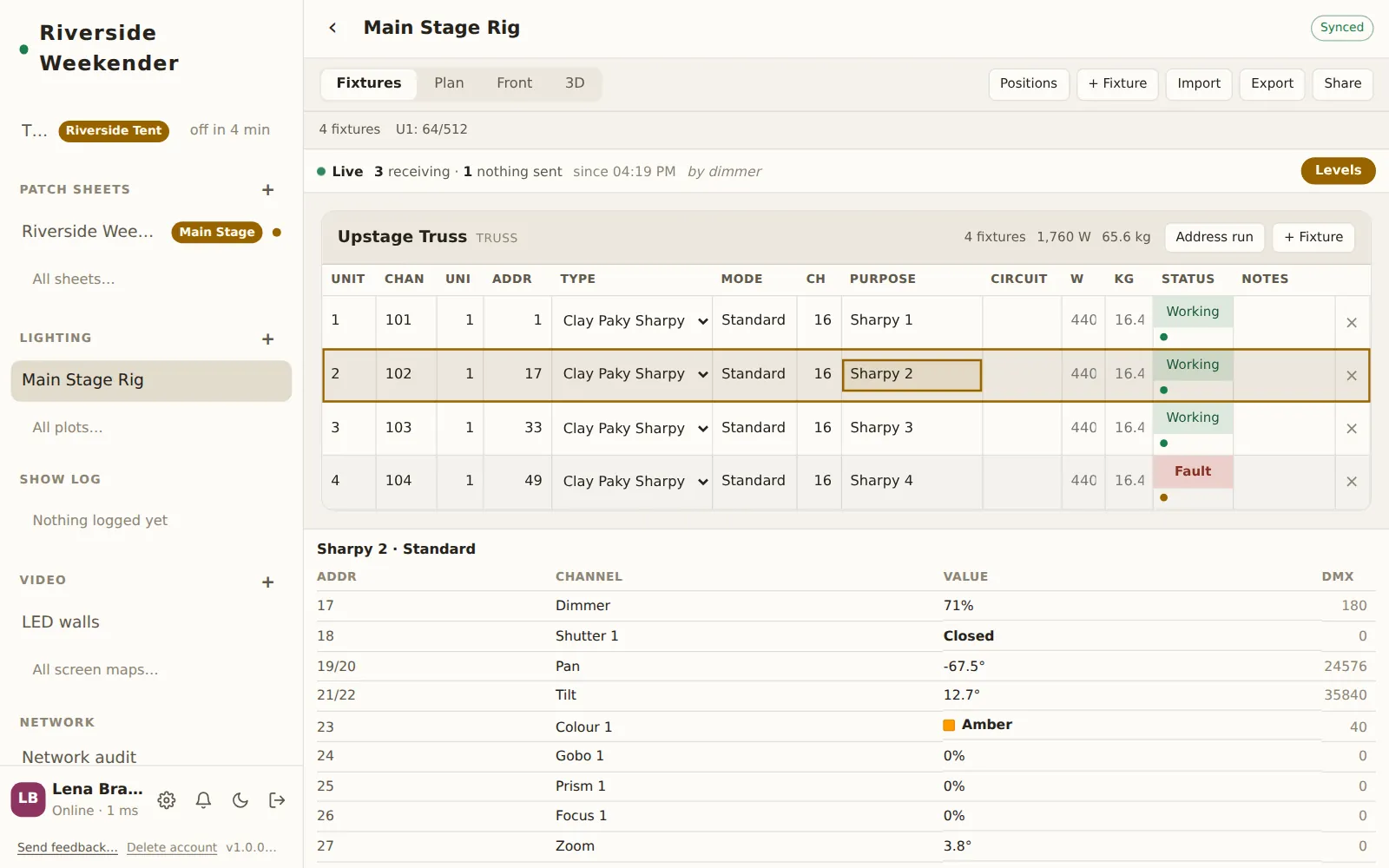
A lighting plot is one rig: fixtures on positions (trusses, booms, the floor), with their addresses, types and modes, drawn in plan, from the front and in 3D. Like a patch sheet, everyone with it open edits the same document at once, even offline. When the box listens to the lighting network, the plot also shows what the desk is sending.
In the sidebar
Lighting
Recently edited plots. Tap one to open it.
New lighting plot
+ starts a new plot.
All plots…
Opens the plot list.
The plot list
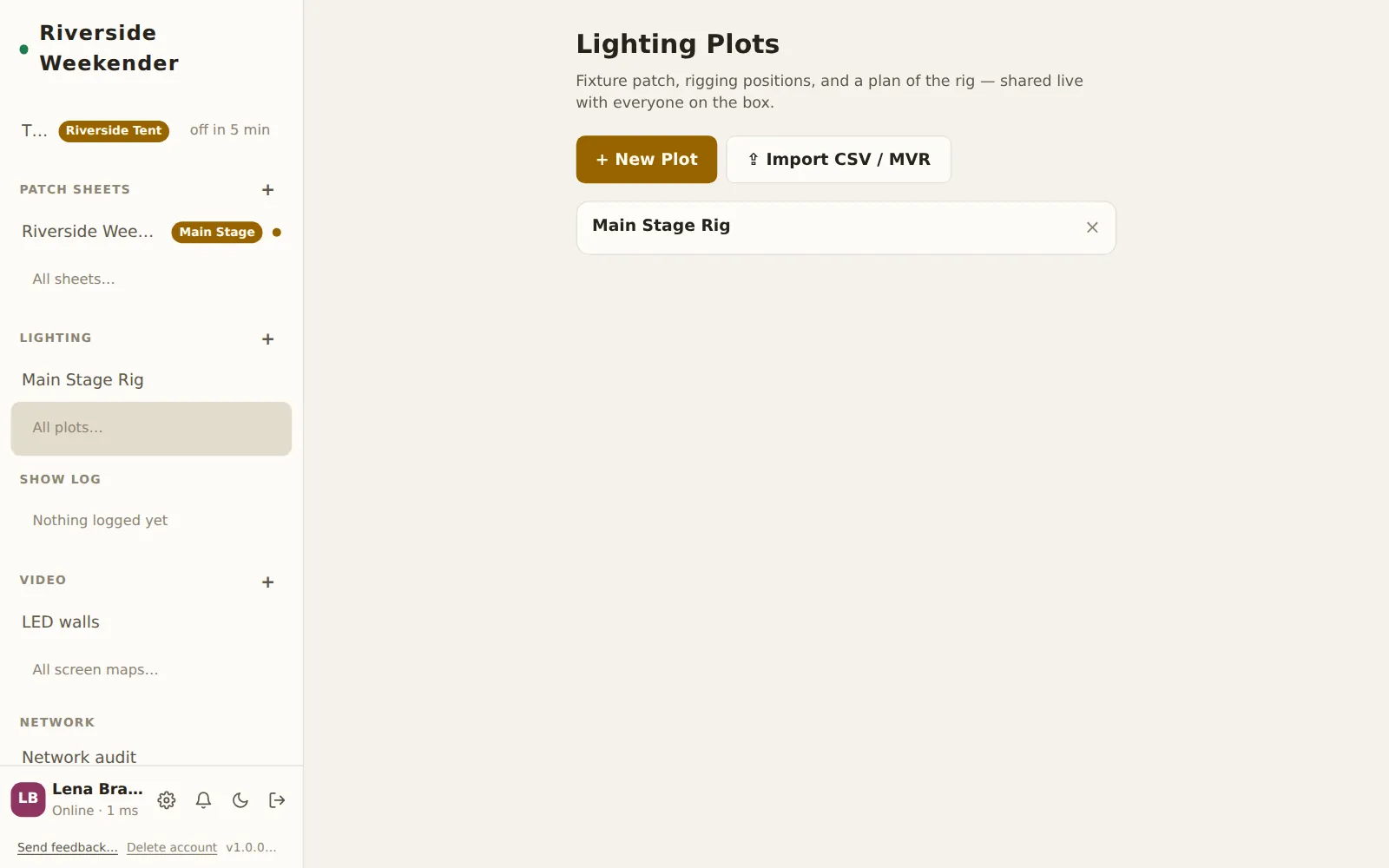
+ New Plot
Asks for a Plot name ("Main Stage Rig") and a Venue (optional), then Create.
⇪ Import CSV / MVR
Makes a new plot from a rig file, or drop one on the page. See Import a lighting rig.
Plot cards and delete
Tap a card to open it. × deletes the plot after Delete "…" from this device and the shared index?.
The plot header
All plots
‹ goes back to the list.
Title
Click to rename.
Sync status and who's here
The same Local only, Connecting…, Synced chip and presence initials as a patch sheet.
The toolbar
Tabs
Fixtures, Plan, Front and 3D. Clicking a fixture in any drawing selects it and switches to Fixtures with its row highlighted.
Positions
Opens the positions manager.
+ Fixture
Adds a fixture with no position. Each position's own + Fixture adds one there.
Import
Adds the fixtures from a CSV or MVR to this plot. You can also drop the file on the plot. A newer MVR of the same rig updates the fixtures it brought before, rather than adding them twice.
Export
Downloads the plot as CSV.
Share
Posts a link to the plot in a channel.
The summary line
Under the toolbar: N fixtures, and each universe's use, like U1: 64/512. ⚠ N addressing problems appears when any fixture clashes or runs off the end of a universe.
The fixture list
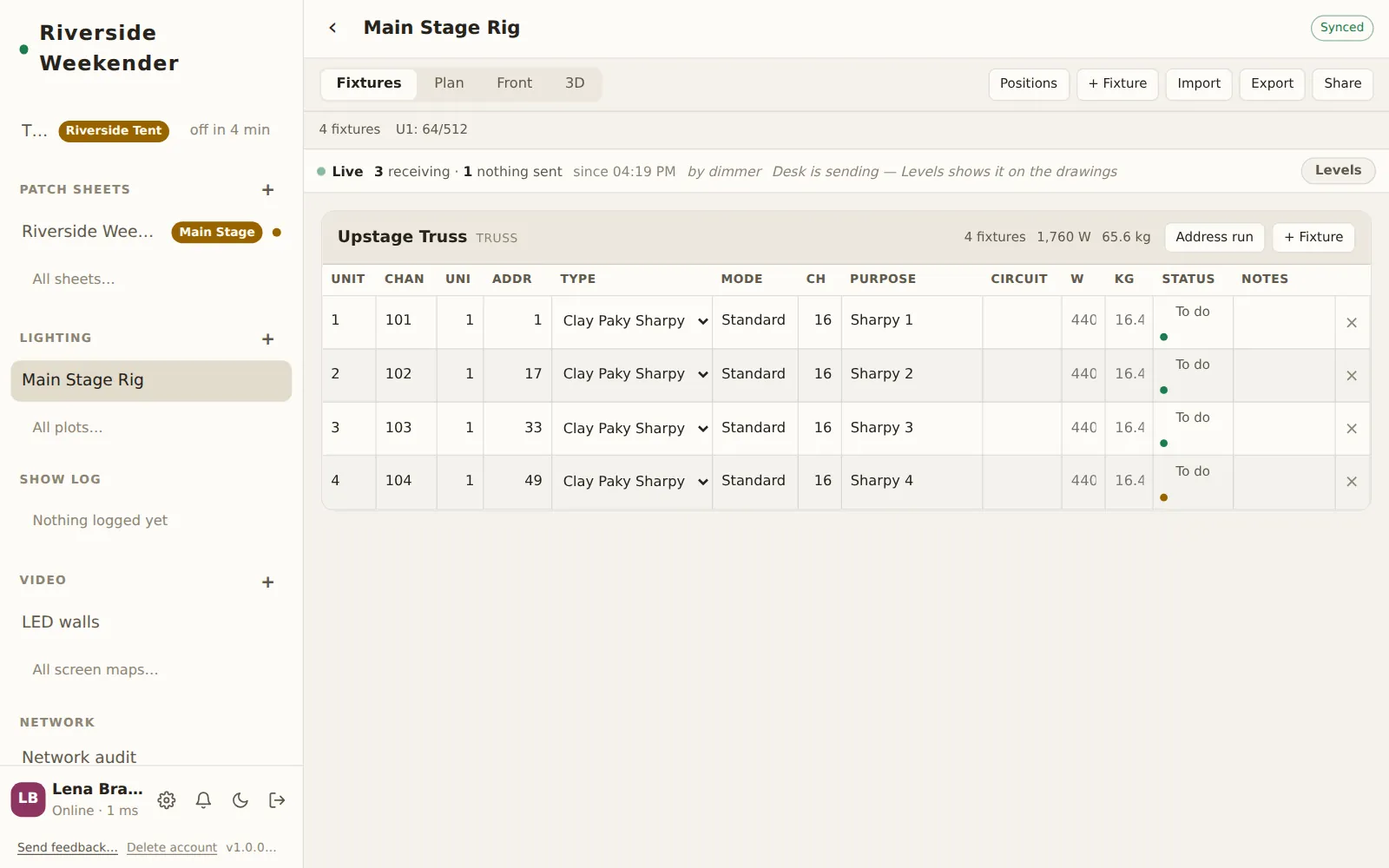
Fixtures are grouped by position, each group headed by its name, kind, and totals: fixture count, watts and weight. Fixtures without a position are under No position.
Address run
In a position's header. Addresses that position's fixtures nose to tail from the first free address in the universe. If the universe doesn't have room, it says Universe N doesn't have N free channels in a row for this position.
+ Fixture
In a position's header. Adds a fixture there.
Columns
| Column | What it is |
|---|---|
| Unit | The unit number on this position. |
| Chan | The console channel. |
| Uni | DMX universe. |
| Addr | DMX start address. |
| Type | The fixture type. See types. |
| Mode | The DMX mode. A list when the type's profile has modes; free text otherwise. |
| Ch | How many DMX channels it uses (its footprint). Filled from the type and mode where known. |
| Purpose | What it's for: "DS Wash SL", "Sharpy 2". |
| Circuit | The circuit or dimmer it's on. |
| W, kg | Power and weight. Greyed values come from the type; type over them to override. |
| Status | Tap to cycle To do → Rigged → Working → Fault. |
| Notes | Anything else. |
A row's × removes the fixture.
Status
A tap-to-cycle button rather than a menu, because a systems check is hundreds of taps in the dark. The status is yours: live data never changes it.
Addressing warnings
A fixture with a problem is marked, with the reason on hover or tap:
- DMX clash with …: it overlaps another fixture's addresses.
- Runs past channel 512 — needs N channels from A: its footprint doesn't fit in the universe from that address.
Live dot
With the box listening to the lighting network, each row has a dot answering one question: is anything being sent to this fixture's addresses?
| Dot | Means |
|---|---|
| Receiving data | Data is arriving at its addresses. |
| Nothing sent to these addresses since the box started listening | The network is fine; the desk hasn't sent here. |
| This universe has not been heard at all | The whole universe is silent. |
The box sees the network, not the rig: a fixture can be receiving and still be dead (lamp off, cable pulled after the node). Where the type has a profile, the check is on the dimmer channel ("by dimmer"); otherwise any activity in the footprint counts.
Fixture types
Built in: Conventional / dimmer, LED PAR (generic), LED batten / bar (generic), Moving wash (generic), Moving spot / beam (generic), Strobe (generic), Hazer / fogger (generic), Clay Paky Sharpy and Robe Robin Pointe. An MVR adds its own types, with the manufacturer's GDTF profile: modes, footprints, channel maps, watts, weight and beam.
Positions
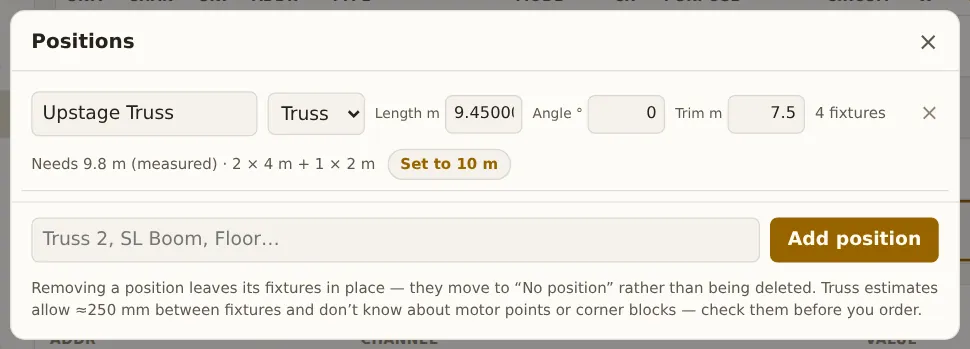
Positions lists every rigging position.
Name
Rename the position.
Kind
Truss, Bar, Boom, Floor or Other.
Length m
How long it is. Sets the drawn length on the plan.
Angle °
Rotation on the plan.
Trim m
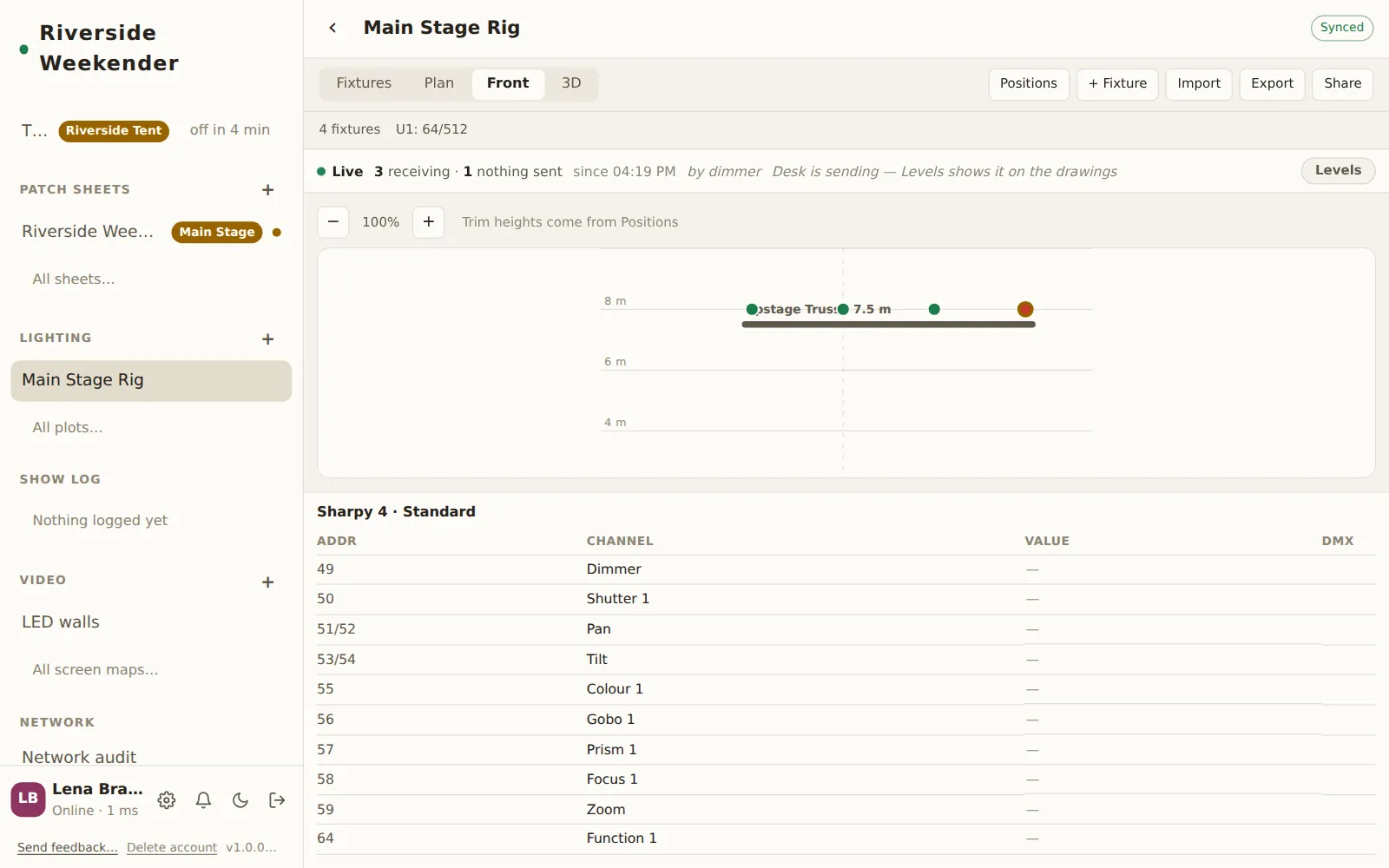
Height above the stage (Height m for a boom). Used by the front view and 3D.
Length estimate
Under the row: Needs 9.8 m (measured) · 2 × 4 m + 1 × 2 m, how much bar the fixtures on it need and one way to make it up from standard truss lengths (0.5 m to 4 m). Where the fixtures carry real positions from an MVR, the span is measured and says (measured); otherwise it adds up fixture widths (from profiles, or an assumed 400 mm) with 250 mm between neighbours, and says which. It doesn't know about motor points or corner blocks. Set to … m sets the length to what the sticks add up to.
Remove
× removes the position. Its fixtures stay, under No position.
Add position
Type a name ("Truss 2, SL Boom, Floor…") and press Add position.
Plan
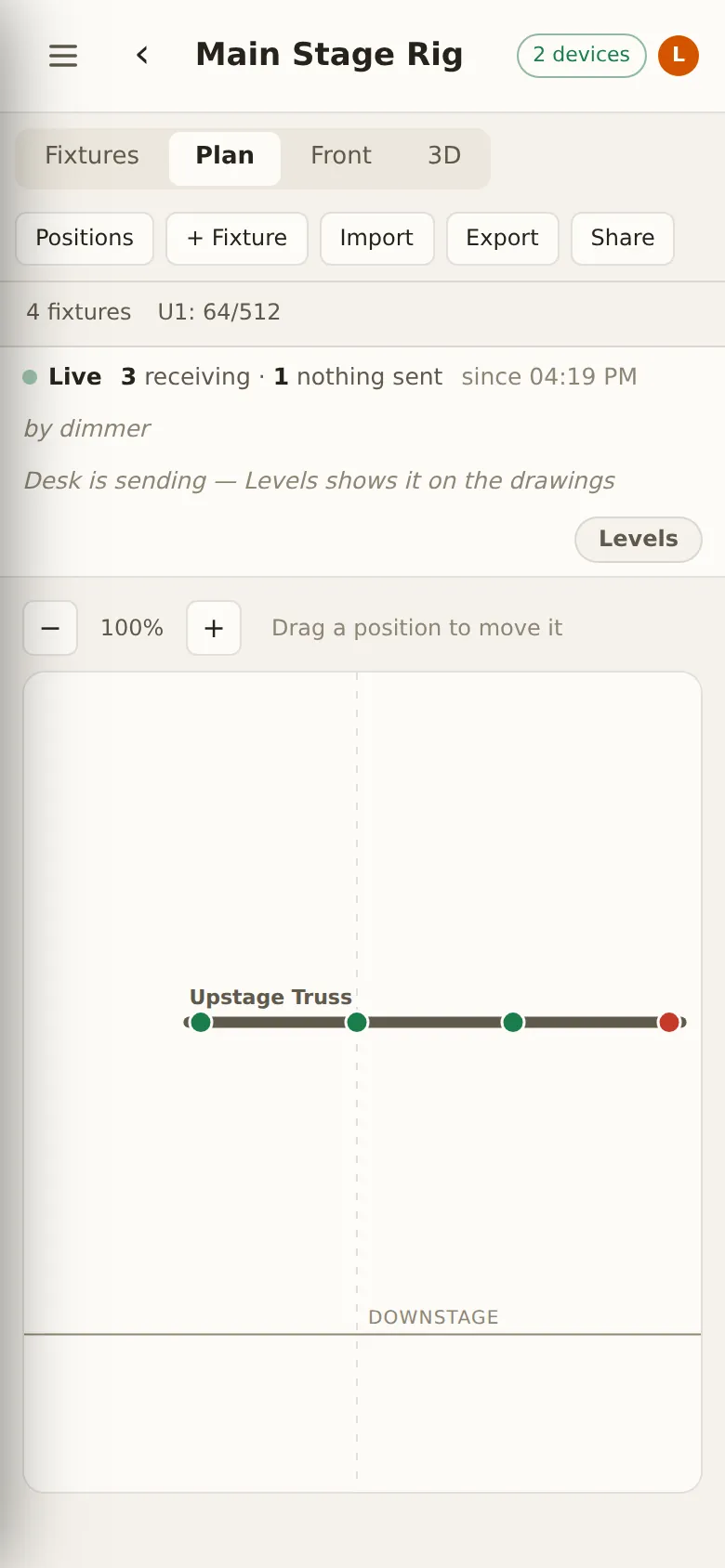
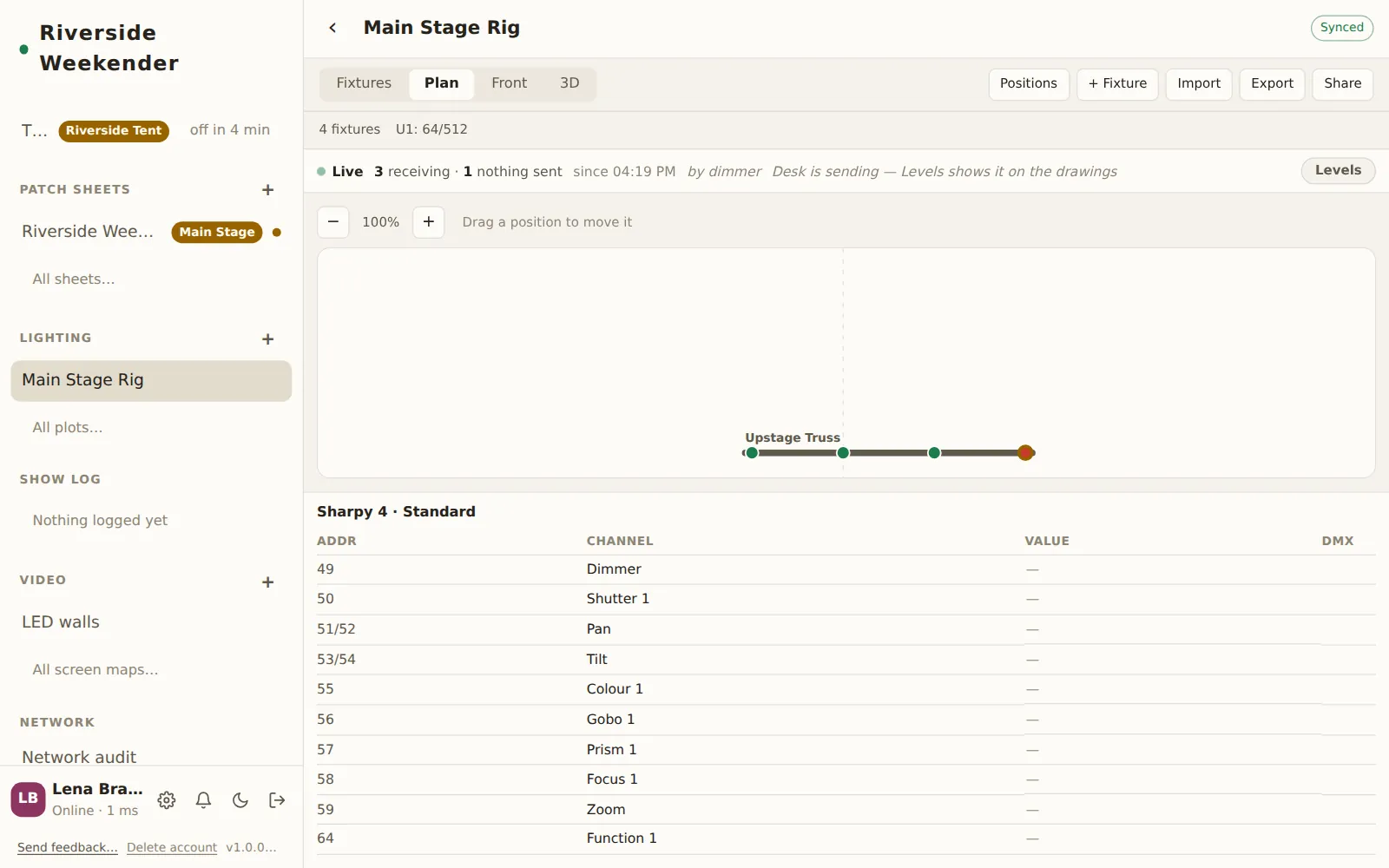
A top-down drawing of the stage, positions and fixtures.
Zoom
− and + zoom from 40% to 300% in 20% steps. Unit numbers appear on fixtures from 120%.
Move a position
Drag a position to move it. It snaps to 0.25 m.
Front
The rig from the audience, positions at their trim heights ("Trim heights come from Positions"). The same − and + zoom as the plan.
3D
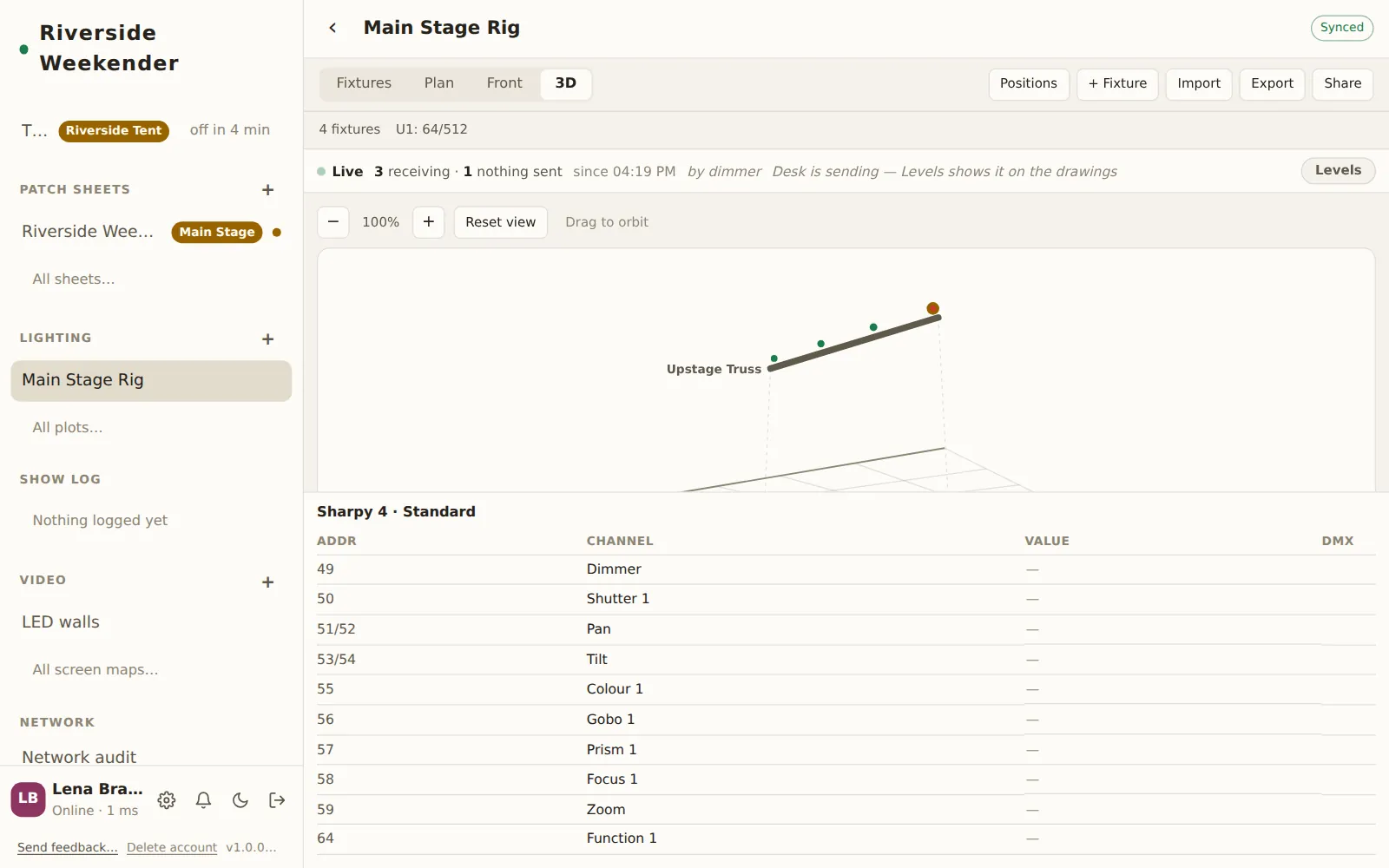
The rig in 3D. Drag to orbit, zoom up to 400%, and Reset view to start again.
The live bar
Shown when the plot has fixtures with universes. It reports what the box hears on the lighting network, against this plot. The box only ever listens; it never sends DMX.
- Not watching a lighting network: the box isn't listening to sACN or Art-Net. The operator turns it on in Admin → This box → Networks → Lighting network listening and restarts the box. (The bar's own hint says "Admin → Lighting network".)
- Listening, but none of this plot's N universes has been heard: the box is listening, but this plot's universes are silent.
- ● Live 3 receiving · 1 nothing sent · since … · by dimmer: the working state, counted fixture by fixture since the box started listening.
- ⚠ N sources on universe U: two desks (or a desk and a node) are sending the same universe.
- ⚠ Sync stopped on universe …: an sACN sync stream has stopped, so the universes waiting for it may be frozen on their last look. Other sync notes say when a universe syncs on one the box isn't listening to.
Levels
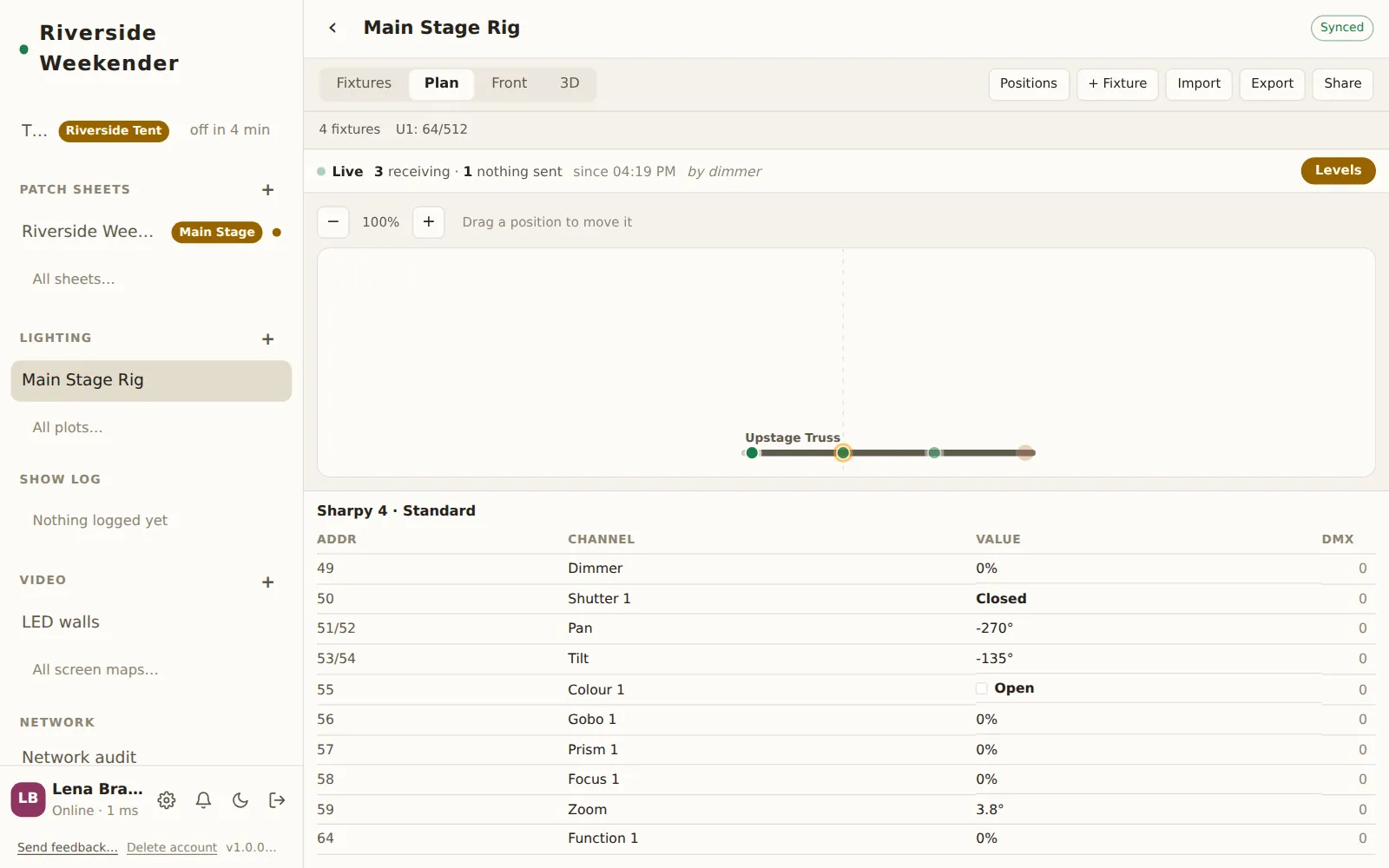
Levels turns on drawing what the desk is sending. It's off by default, per device, because levels are the expensive part of watching. While it's off and the desk is sending, the bar says Desk is sending — Levels shows it on the drawings. With it on:
- Plan and Front: each fixture dims to its dimmer level, with a halo in the colour the desk is asking for.
- 3D: moving heads with profiles grow beams aimed by live pan and tilt.
- Status colours don't change: the plot is paperwork first.
The channel readout
Select a fixture whose type has a GDTF profile and a table appears under the drawing: Label · mode, then each channel's Addr, Channel name, Value as the profile describes it (Dimmer 71%, Pan −67.5°, Colour Amber, with a swatch) and the raw DMX value. With Levels off it says not watching levels. No profile, no table: Crewbox won't guess what channel 7 of an unknown fixture means.
On a phone