Crewbox 1.0
Audit the network
Find out whether the site's networks are good enough for A/V, what exactly is wrong if not, and hand venue IT a report with the evidence.
The Network module grades three networks, continuously, from what the box passively hears: the crew Wi-Fi, the lighting network and the audio and media network. It never transmits on a show network, except for the one deep probe an admin can run. This page is the job from start to finish; every control is in Network.
1. Let the box hear the networks
Each card needs the box to be listening to that network:
| Card | Needs |
|---|---|
| Crew network | Nothing. Crew phones report their own round trip to the box once a minute. |
| Lighting network | The box listening for sACN or Art-Net: Admin → This box → Networks → Lighting network listening, then restart. |
| Audio & media network | The box started with CREWBOX_WATCH=1 (and CREWBOX_WATCH_IFACE to pick the adapter), on the media network or a port that sees it. |
A card whose network isn't watched says Not watched and what would change that. It's not a fault, and it never drags the overall grade down.
2. Read the grades
Open Network → Network audit in the sidebar. Anyone on the crew can.
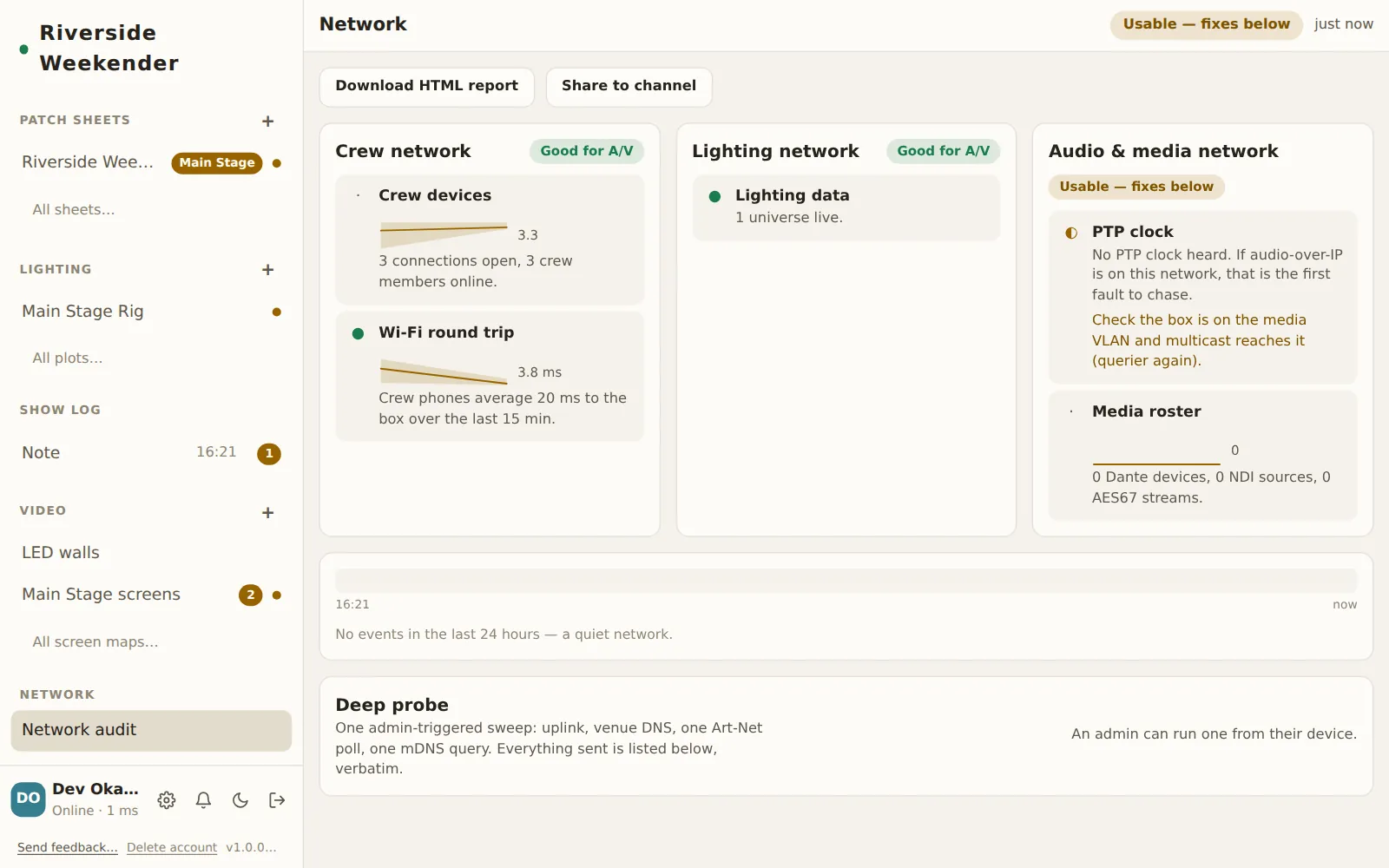
Each card has a grade, and the header shows the overall one:
- Good for A/V
- Usable — fixes below
- Not suitable right now
- Not watched
Inside each card, every finding is marked Working, Limited, Fault or For information, says what's wrong in a sentence, and, where it isn't fine, the fix. Where there's history, a small chart draws the last hour: steady, sagging or spiky is usually more telling than the number.
3. Pin down when it went wrong
The event strip under the cards covers the last 24 hours: red marks for faults (an outage, a frozen rig, a device vanishing) and amber for changes, with the latest spelled out below. Pair a complaint ("comms dropped in the changeover") with what the network was doing at that minute. A quiet network says No events in the last 24 hours — a quiet network.
4. Run the deep probe (once, with permission)
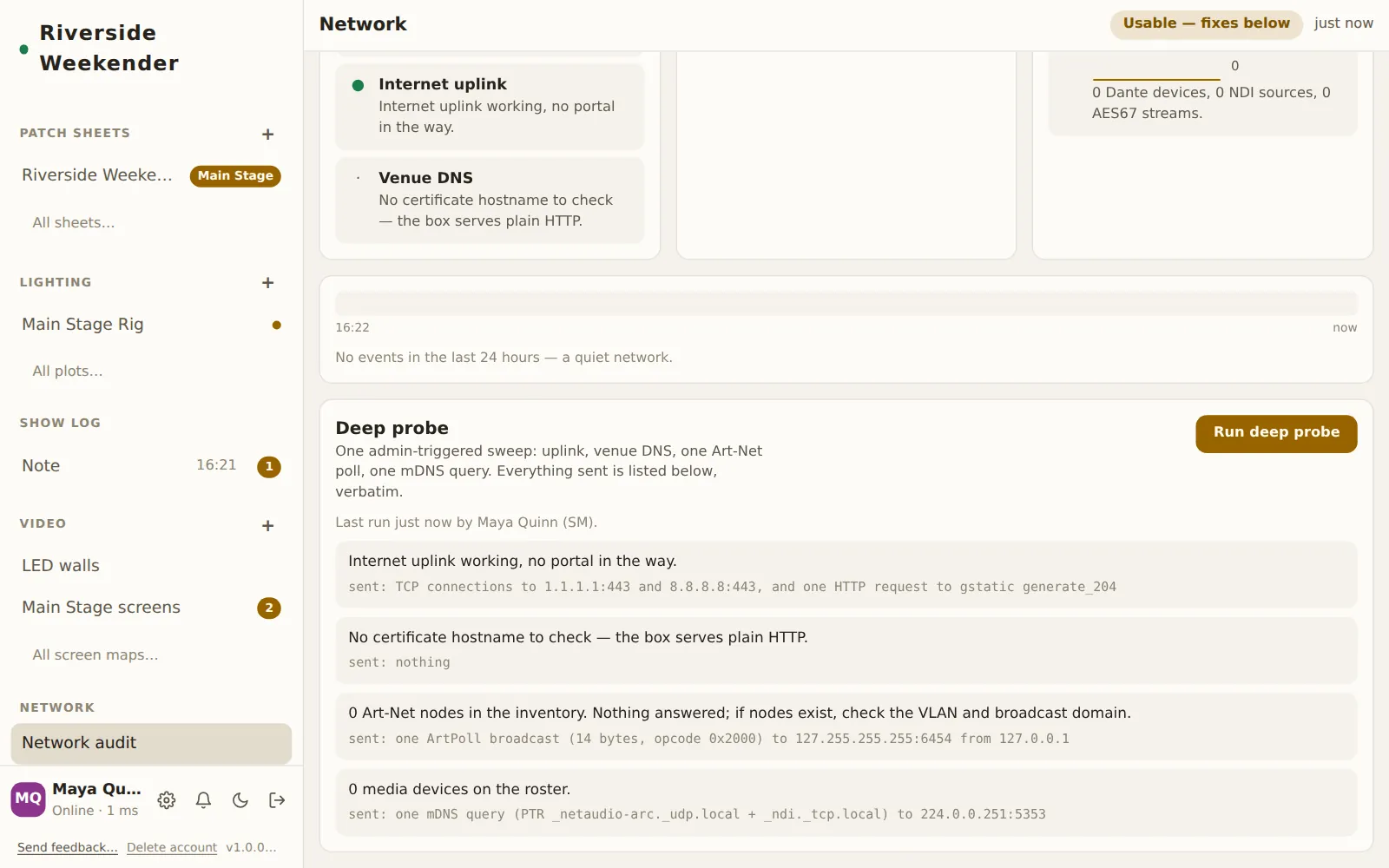
Everything above is listening only. The deep probe is a single sweep an admin starts from an unlocked device: it checks the internet uplink and venue DNS, sends one Art-Net poll and one mDNS query, and stops. Every packet it sent is listed under its result, word for word, so a strict venue can check it against a capture.
If the venue forbids any transmission on show networks, don't run it. Nothing else in the module transmits.
5. Hand over the report
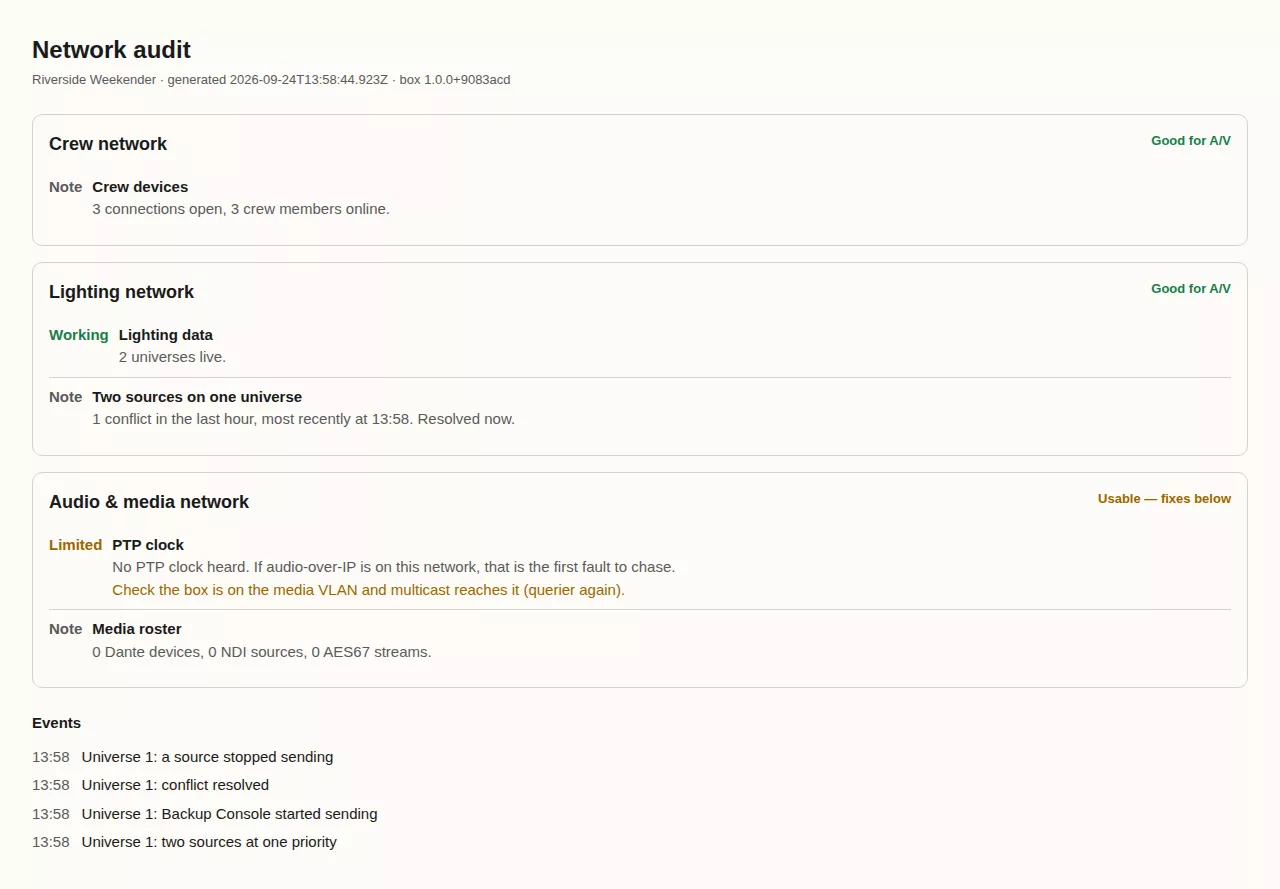
- Download HTML report saves one self-contained file: grades, findings, charts, the event log and the probe's send list. It opens anywhere with no internet and prints cleanly. That's the file for venue IT, or for the post-event report.
- Share to channel posts the audit into a chat channel as a link, for "have a look at this".