Crewbox 1.0
Privacy and your data
What the box stores, the little that leaves the venue and when, and what the network module listens to.
Crewbox has no company server. Everything runs on the box the event's operator runs, on the event's own network. The privacy comes from that design, not from a promise.
Where your data lives
Everything you type, send or upload is stored on the box: messages, files, patch sheets, lighting plots, the show log, your name and your PIN. The PIN is stored as a hash, never as the number. Your own device keeps a working copy so the app opens with no connection.
The makers of Crewbox never receive your messages, files or name, and nothing tracks you. After the event, the data is wherever the operator keeps the box's data folder and exports.
Deleting your account
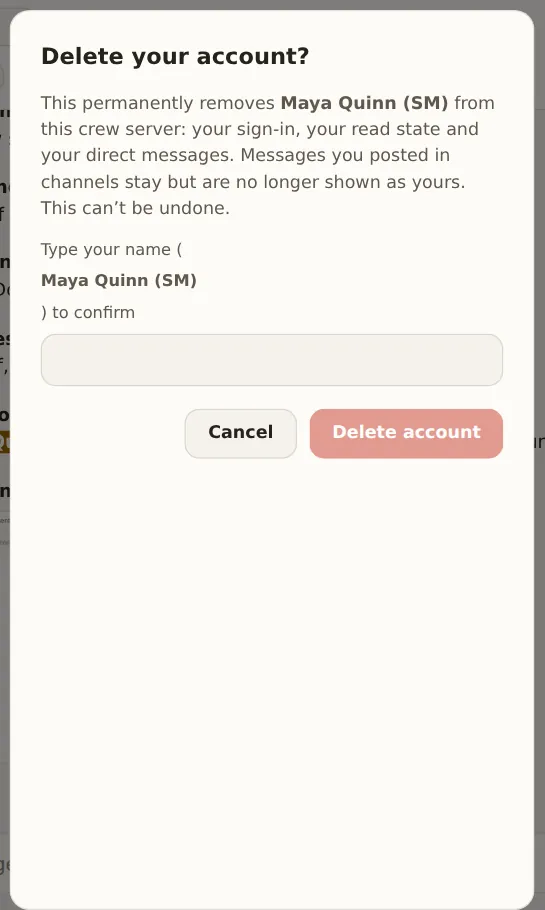
Delete account at the bottom of the sidebar removes you from the box: your sign-in, your read state and your direct messages. Messages you posted in channels stay, but they're no longer shown as yours. You confirm by typing your name, and it can't be undone.
What leaves the venue
Nothing from your phone goes anywhere but the box. The box needs no internet and works the same without it. When it does have internet, it makes the requests below and nothing else. All of them go to LeTissier Creative Studios at letissier.ie, except the update check, which goes to GitHub. No analytics or crash-reporting company is involved.
The update check
Once a day (the first check comes 30 seconds after the box starts), the box
asks GitHub whether a newer Crewbox exists. The request carries the box's IP
address, as any request does, and the version it runs, in its User-Agent
(for example crewbox/1.0.0+ followed by the build's commit). It carries no event name, crew, message counts or
identifier. The reply is a version number and a link. Nothing is downloaded or
installed unless an admin asks for it.
The licence check-in
A licensed box checks in with letissier.ie when it can reach the internet. It tries about once an hour until one check-in succeeds, and each success holds for a day. The check-in sends the licence key, a hashed id for the machine and the product. It sends nothing about the event or the crew. A box activated offline doesn't need to check in.
Crash reports
These are sent only with the operator's agreement. After a crash, the admin panel asks once before sending anything, and Send crash reports automatically is off to begin with. A report holds the following:
- the Crewbox version
- the operating system
- a random id for this install
- the error and its stack trace, with home folders, user names, network addresses and anything after "?" in a web address removed on the box
It never includes messages, names, files, the event or the licence.
If a screen in the app breaks on your device, the same kind of report goes only if you press Send report, and it goes through the box.
Feedback
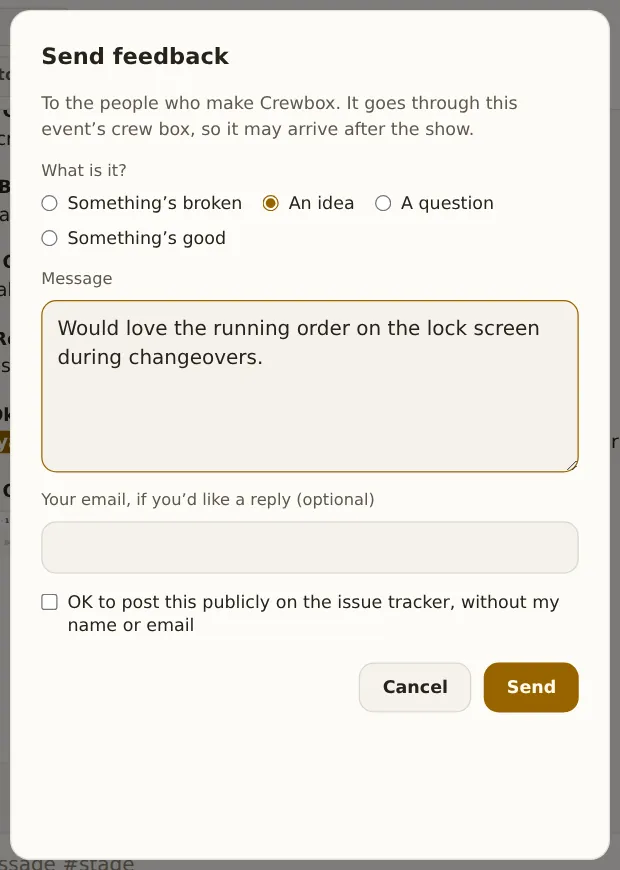
Send feedback… at the bottom of the sidebar sends the kind of feedback, your message, the Crewbox version, the operating system and the install's random id. Your email goes only if you type it. On a licensed box you can tick Include my licence so you know who I am, and OK to post this publicly on the issue tracker, without my name or email is also up to you. Feedback goes through the event's box, so it may arrive after the show.
Turning it all off
CREWBOX_UPDATE_CHECK=0 stops the box making any outbound connection at all:
no update check, no licence check-in and no crash reports. Waiting reports stay
on the box.
What the network module listens to
The network audit grades networks by listening to what's already on the wire: DMX frames, clock announcements and device announcements. It transmits nothing, except the deep probe that an admin starts, which lists every packet it sent. Two figures involve crew devices:
- Each phone reports its own round-trip time to the box once a minute. That's one number, tied to nothing but the connection it arrived on, and it's kept as averages for seven days.
- Connection counts: how many devices are connected, not whose.
off-site beside a name in direct messages means that person is connected from outside the event network, through a route the operator set up.
The LED processor readings
The video module only reads the processors that crew name and turn on, and it shows everyone exactly what it will send before it sends anything.
The full policy
The formal privacy policy for letissier.ie and its products is at letissier.ie/privacy.