Crewbox 1.0
Running order
Who's on, on which stage, and when - the board, the sidebar countdowns, and editing acts and times.
The running order is the event's one list of acts, stages and set times. Every department reads it: the sidebar countdowns, each patch sheet's act columns, the show log (which stamps entries with the act on stage), and desk buttons through the control API. Change a time anywhere and it changes everywhere.
It usually arrives with an imported patch sheet (guide), but it can be typed in here from scratch.
The sidebar
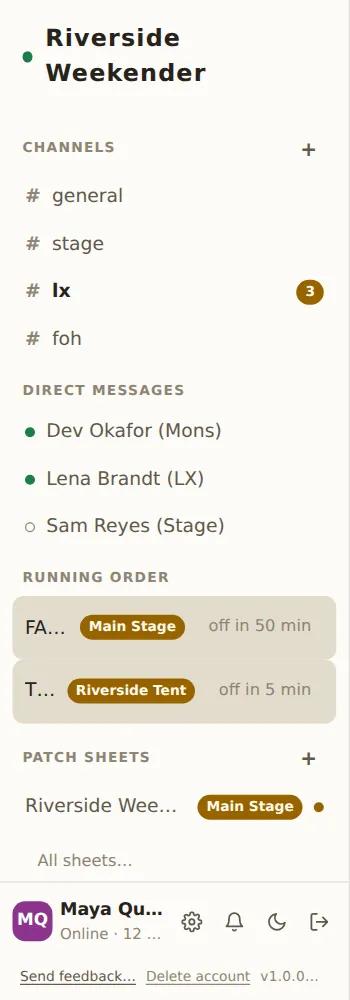
Running order in the sidebar shows up to four stages, one row each: what's on (or next), the stage, and a countdown like off in 51 min or in 1h 16m. Tap a row to open the board. With nothing entered yet it reads Now & Next.
The board
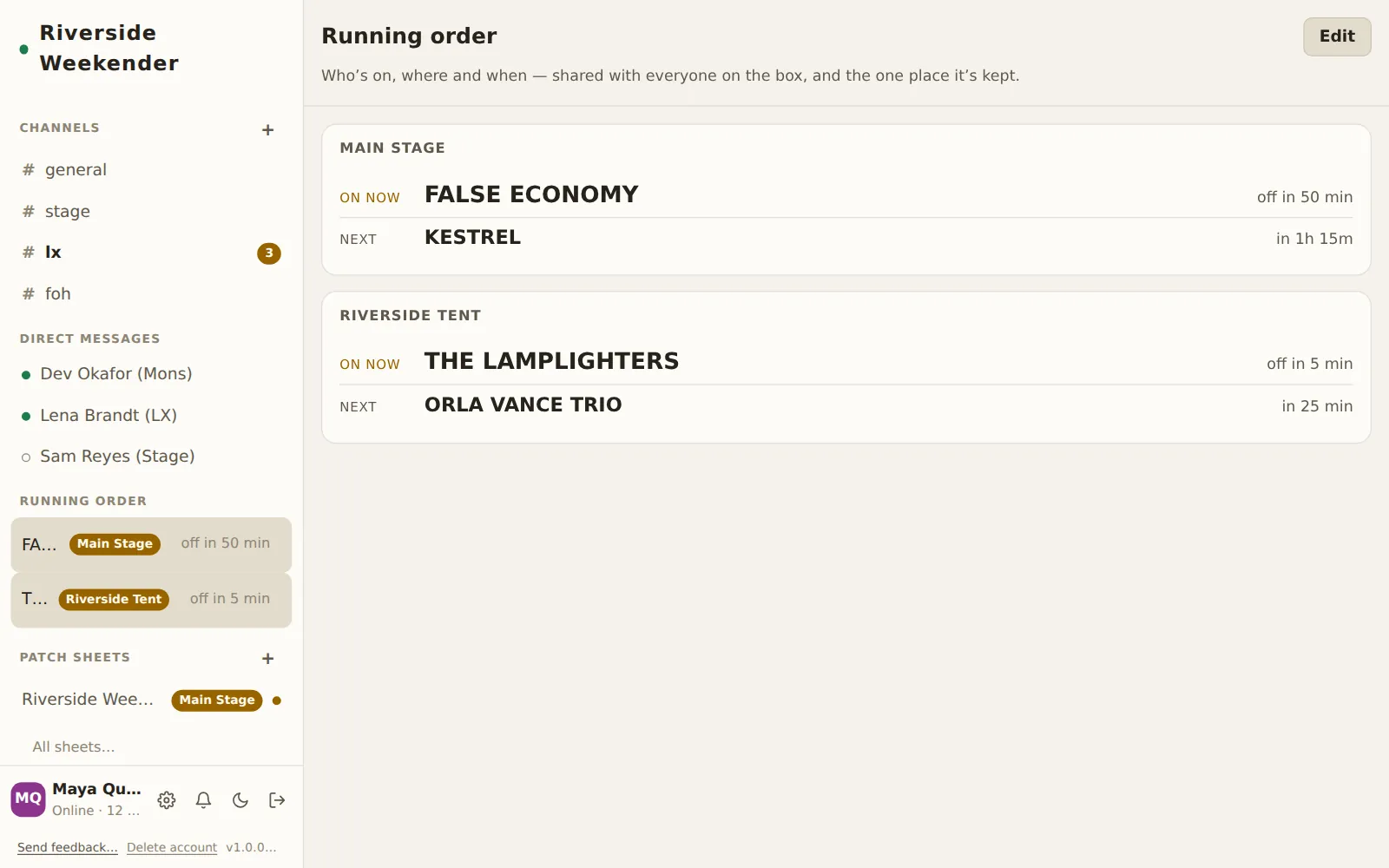
One card per stage, for today's show day.
On now
The act on stage, and off in … until its set ends (over once it has passed the end time). Between sets it shows — and changeover, or finished for the day after the last act.
Next
The next act on that stage and how long until it starts.
Show days roll over at 06:00
A set at 00:30 belongs to the night before: the board, the countdowns and the sort order all treat 00:00–05:59 as the end of the previous day. A set that runs past midnight works as you'd expect (on at 23:30, off at 01:00).
The board uses each device's own clock. The box uses its own for the control
API; if the box machine's timezone is wrong, set CREWBOX_TZ (for example
Europe/London), and check the Clock and timezone row in Admin → This
box.
Empty
With no acts, the board says No running order yet. and offers Add the first act.
Edit
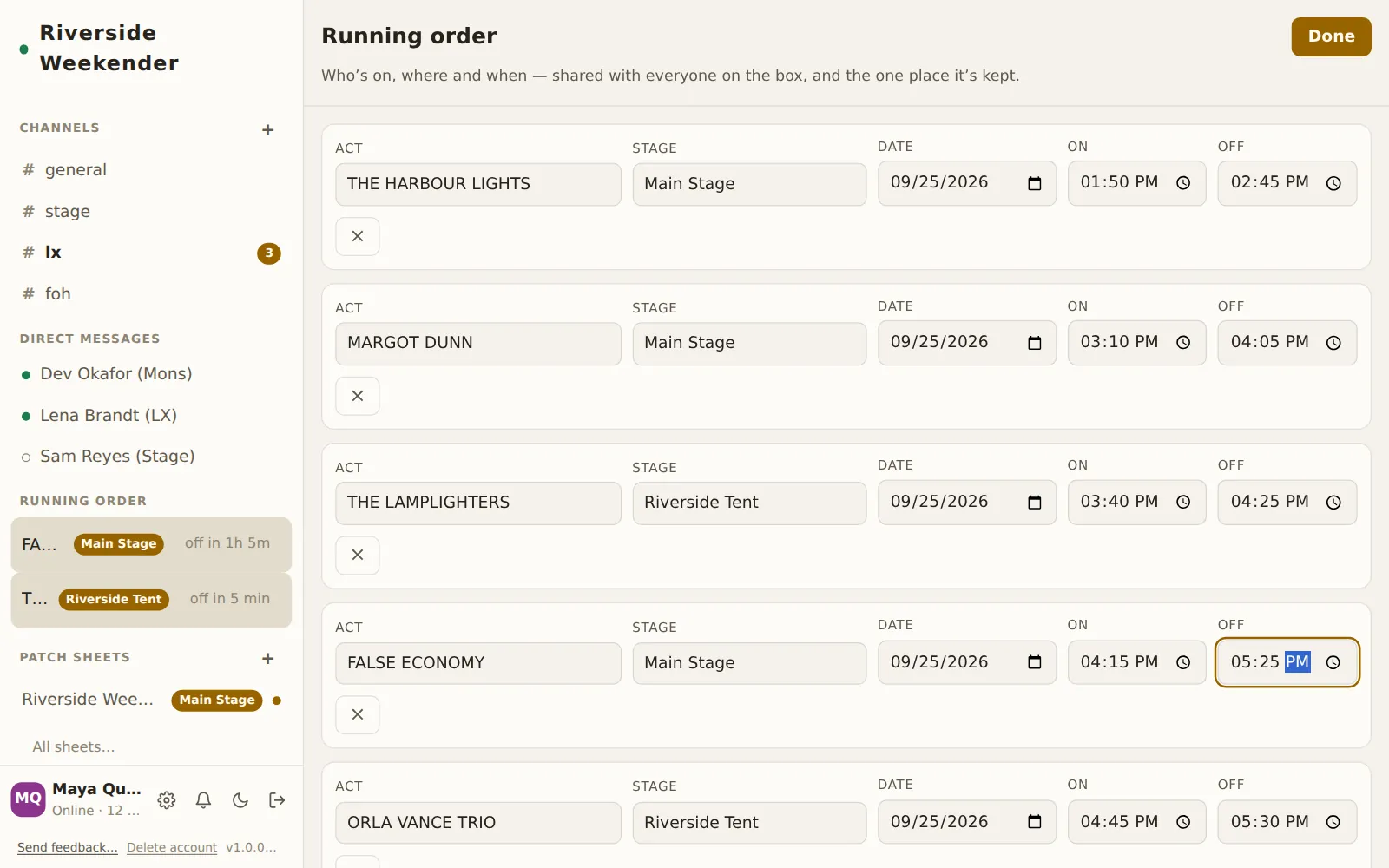
Edit turns the board into the editor; Done turns it back. Every field is saved as you type, and is on every other device a moment later. There's no save button, and nothing to lose by walking away.
Acts are listed in running order (by date, then show time). Acts without a time yet sit at the bottom.
Act
The act's name ("Band or act").
Stage
Which stage. Type a new name to make a stage, or pick one already in use from the suggestions.
Date
The show day the set belongs to.
On and Off
The set's start and end times.
Remove
× removes the act from the running order, and with it the act's column on its stage's patch sheet. There's no confirmation here, so check the name before you tap.
+ Add act
Adds an empty row at the bottom.