Crewbox 1.0
Network
Every part of the network audit - the grades, the three network cards and their findings, the event strip, the deep probe and the report.
The network audit grades three networks by listening to them: the crew network, the lighting network, and the audio and media network. It doesn't transmit anything, except the one deep probe that an admin can run. The steps for a site visit are in Audit the network.
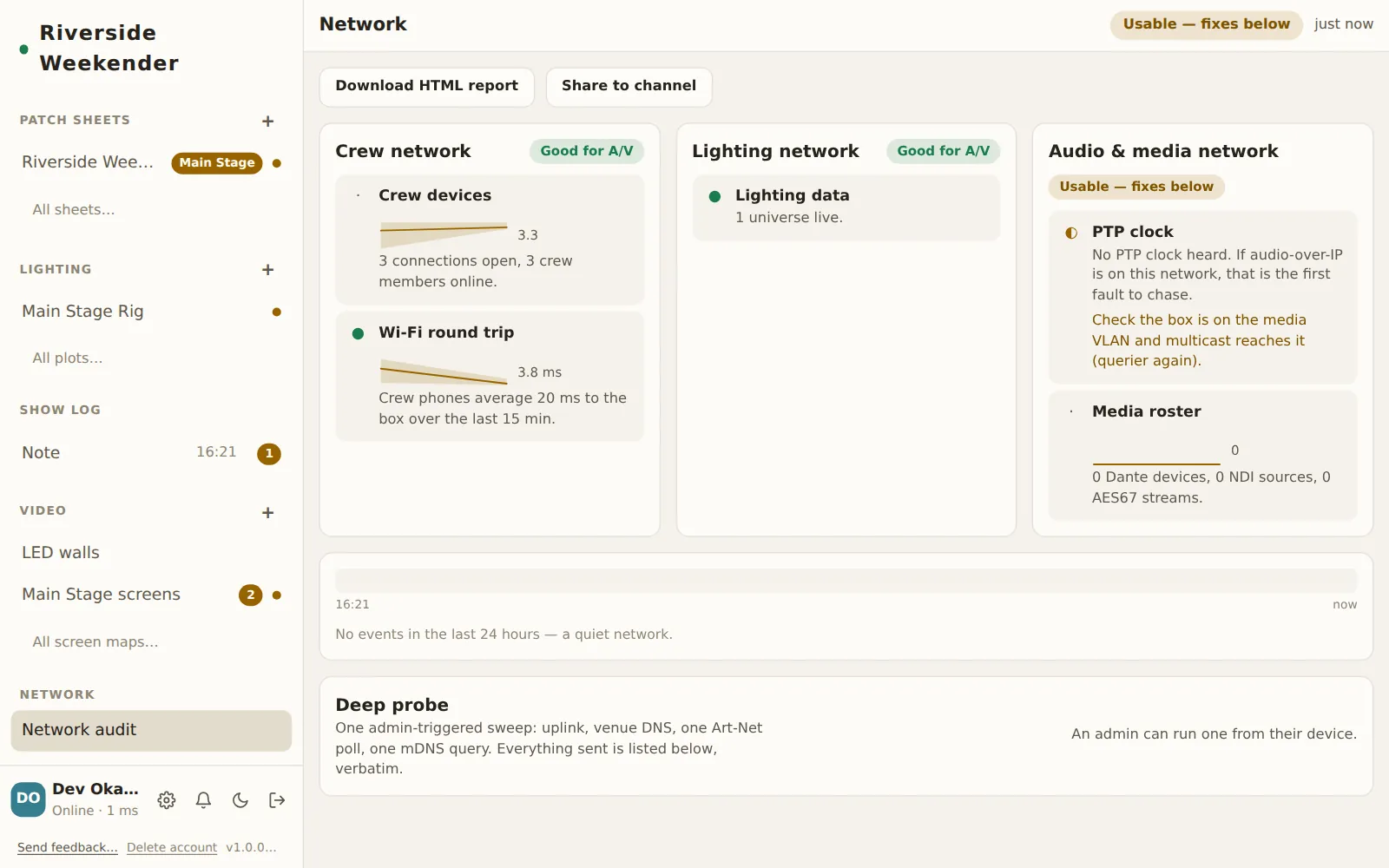
In the sidebar
Network audit
Opens the audit. Anyone on the crew can open it.
The header
Overall grade
The worst grade among the networks being watched. A network that isn't watched doesn't lower it.
| Grade | Means |
|---|---|
| Good for A/V | Nothing to fix. |
| Usable — fixes below | It works, but at least one finding needs attention. |
| Not suitable right now | At least one finding is a fault. |
| Not watched | The box isn't listening to that network. This isn't a fault. |
Report age
How old the report on screen is: just now, N min ago or N hours ago. The pane refreshes every 10 seconds while it's open, and straight away when you come back to the tab. If a refresh fails, Waiting for the box: … appears and the report you already have stays on screen, with its age showing how old it is.
Export
Download HTML report
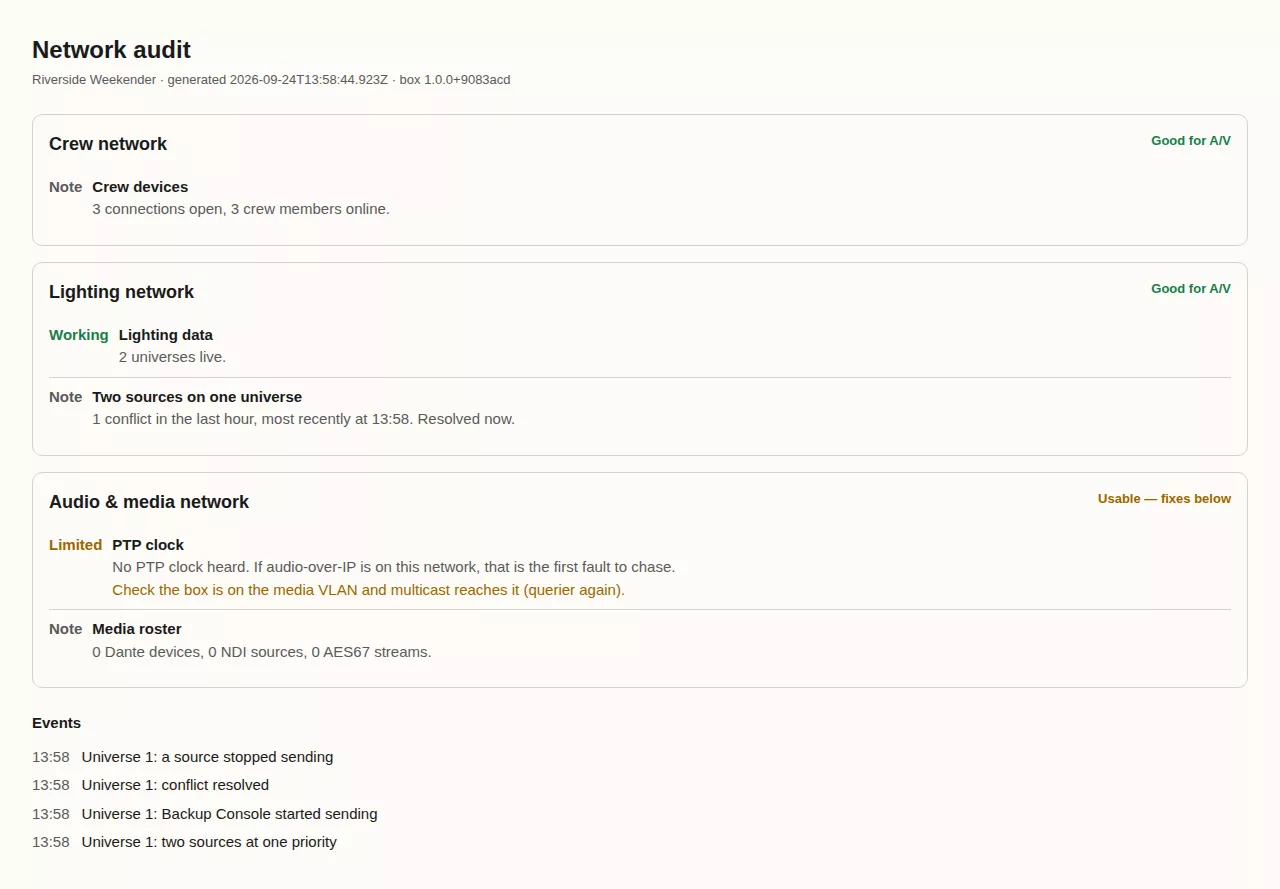
Saves one self-contained file with the grades, findings, charts, event log and the list of what the probe sent. It opens anywhere without internet and prints cleanly. Where the device can't download files, the note suggests sharing the audit to a channel instead.
Share to channel
Pick a channel. This posts 📡 Network audit — all good, or 📡 Network audit — check … naming the networks that need attention, with a link to the audit. Posted to #… confirms it.
The network cards
Each card has a grade and a list of findings. Every finding shows the following:
- a state: ● Working, ◐ Limited, ○ Fault or · For information
- a sentence saying what was found
- where the finding isn't fine, a fix in plain words
- where there's history, a small chart of the last hour
The findings are judged over the last 15 minutes, not from a single reading.
Crew network
Needs nothing set up: crew phones report their round trip to the box once a minute.
| Finding | What it says |
|---|---|
| Crew devices | How many connections are open and how many crew are online. |
| Wi-Fi round trip | The phones' average time to the box. Up to 150 ms is working, up to 400 ms is limited, and anything slower is a fault. The fix points at the Wi-Fi, not the box. |
| Internet uplink, Venue DNS | Only after a deep probe. |
Lighting network
Needs the box listening for sACN or Art-Net. Set this in Admin → This box → Networks → Lighting network listening and restart the box. Until then the card is Not watched, with the finding Not listening to Art-Net or sACN.
| Finding | What it says |
|---|---|
| Lighting data | How many universes are live, or Listening, but nothing is arriving. |
| Universe N frame loss | Frames lost over 15 minutes. |
| Universe N refresh rate | The stream is sagging below the rate it has reached before. |
| Two sources on one universe | Two consoles are fighting over a universe. If the conflict has ended, it's reported for information. |
| Stage frozen | The desk is still sending, but a universe is stuck on its last synchronised look because the sync stream died. |
| Multicast dies on a cycle | Outages at a regular few-minute rhythm, which is the usual sign of IGMP snooping without a querier. |
| Art-Net inventory | Only after a deep probe. |
Audio & media network
Needs the box started with CREWBOX_WATCH=1 (and CREWBOX_WATCH_IFACE to pick
the adapter), with the box connected to the media network. Until then the card
says Not watching the media network (PTP clock, Dante/NDI rosters).
| Finding | What it says |
|---|---|
| PTP clock | Whether the clock is steady, how often the grandmaster has changed in the last 10 minutes, or No PTP clock heard. |
| Clocks announcing | More than one clock is announcing at once, which means an election is running. |
| Mixed PTP generations | PTPv1 (classic Dante) and PTPv2 are on the same wire. |
| Devices dropping | Devices left the network in the last hour. |
| Media roster | Counts of Dante devices, NDI sources and AES67 streams. |
The event strip
A 24-hour timeline under the cards. Red marks are faults: a lighting outage, a frozen sync, a watched network going dark, or a device dropping off. Amber marks are changes. The latest eight are listed below the strip with their times, and the rest are in the exported report. A quiet network says so.

Deep probe
A single sweep that checks the internet uplink and the venue's DNS, sends one Art-Net poll and one mDNS query, and then stops. It's the only thing in the module that transmits.
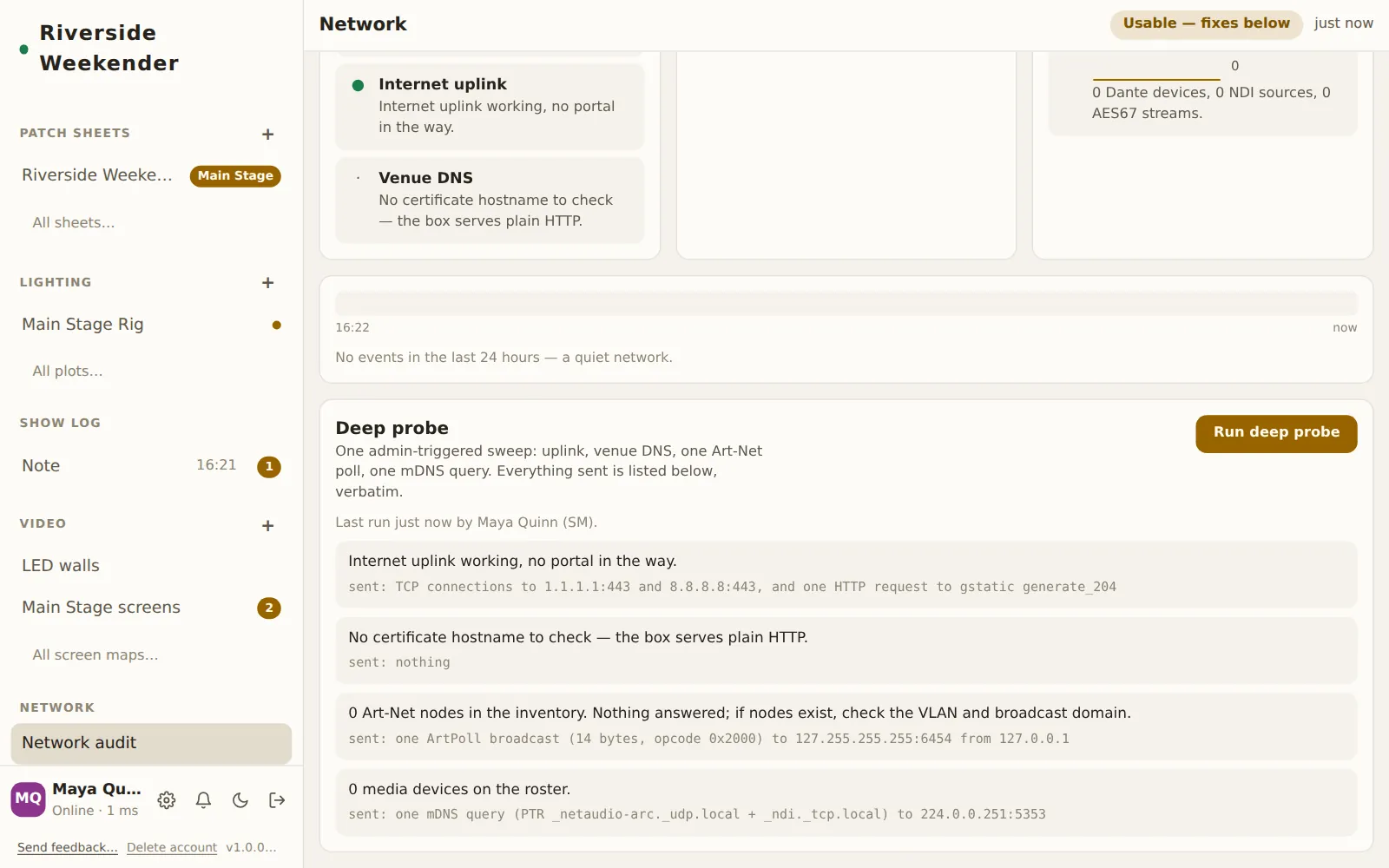
Run deep probe
Shown to anyone with the admin panel unlocked on their device. Other devices see An admin can run one from their device. The button reads Probing… while it runs, and a second probe can't start while one is running.
Results
Last run N min ago by …, followed by each check's result and fix. Under each one, a sent: line gives exactly what went on the wire, so a strict venue can check it against a packet capture. The uplink, DNS and Art-Net results also show up as findings on the cards.